


AlphaPlugins Engraver III v1.0 DC 22.10.2016 for Adobe Photoshop | 10.69 MB
AlphaPlugins Engraver III plugin for Photoshop CS2...CC2015.5 lets you turn any picture into an impressive old-style engraving with just a few mouse clicks. You are in control, just like the old masters, but you can create a stylish engraving in only minutes instead of days!


Adobe CC+ | *ZXP | 5.6 Mb RAR
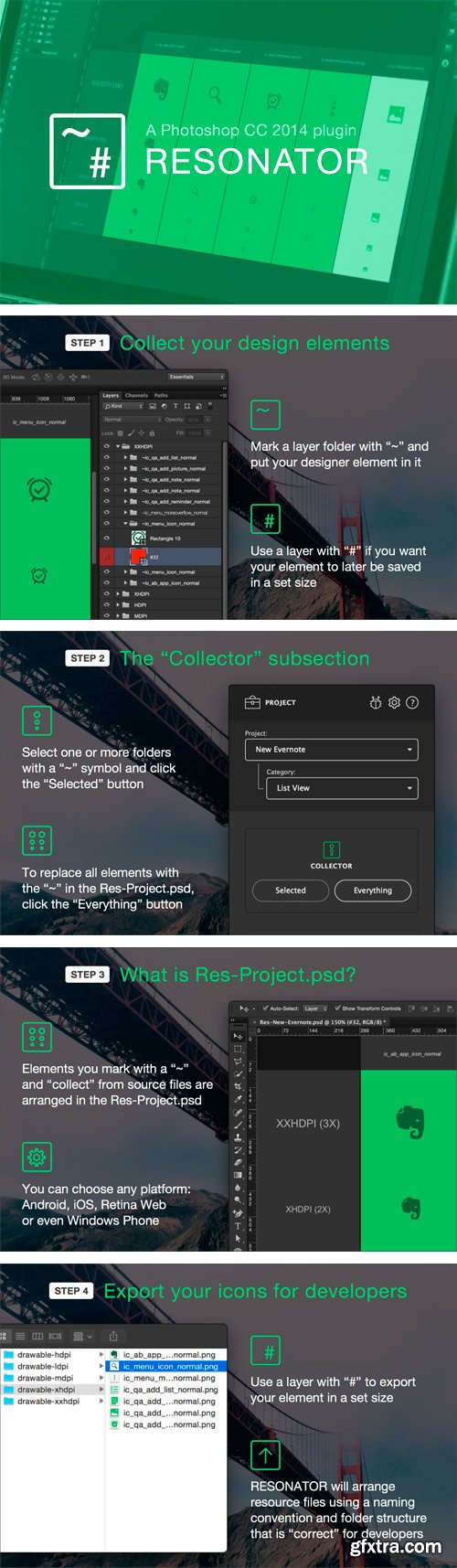
RESONATOR is an extension for collecting, exporting, and storing graphical resources for various mobile platforms and the web.
RESONATOR collects all the design elements from all of your project's screens (icons, buttons, UI controls, etc.) into a single Res-Project.psd. Additionally, all of the elements are collected in the densities you need, so you can quickly fix “blurry” graphics and other defects that arise during resizing.
RESONATOR exports all design elements with file names and a folder structure that are “correct” for developers. And it works for any platform: Android, iOS, Retina Web, and even Windows Phone :-)
RESONATOR stores all the design elements you draw and transfers them to developers in a single file. This means no more "slices" in separate files and no more endlessly searching for them when you need to fix something.
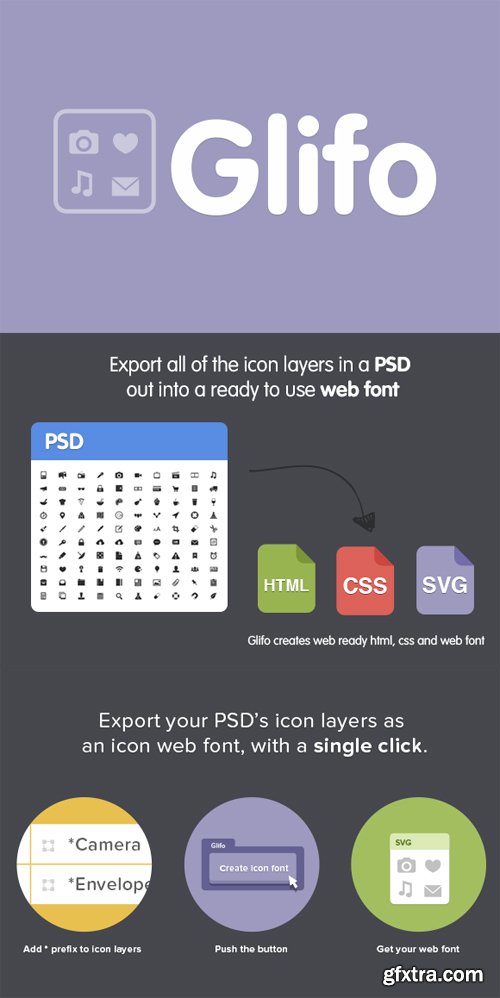
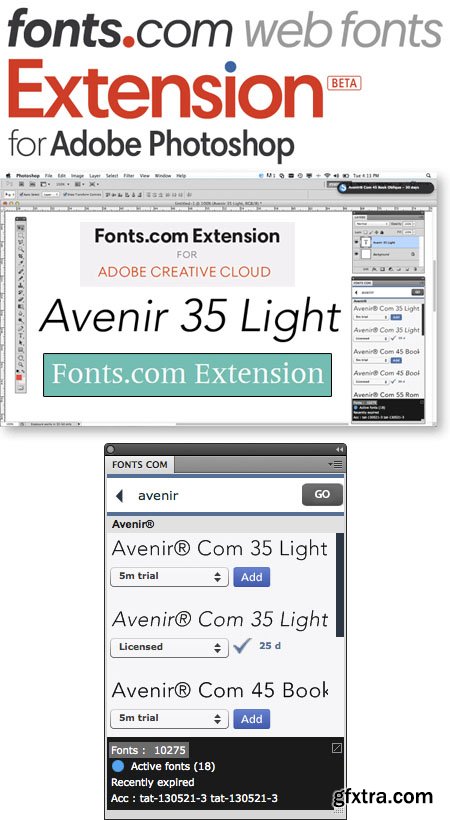
Fonts.com Extension 1.0.2 Plugin for Adobe Photoshop | 8.79 MB
Add Fonts Directly from Your Design Applications. Quickly selecting and adding fonts to your design projects just got easier with our new Fonts.com Subscription for Adobe Creative Cloud. Paired with your Fonts.com Subscription, you now have the ability to browse, add, and sync fonts directly from your favorite Adobe applications, including Photoshop, Illustrator and InDesign. Plus, you add not only additional functionality to your type workflow, but you save time and effort, allowing you to focus more energy on your designs. Download the Fonts.com Extension - free of charge - by clicking here.
Equalizer 2 Plugin for Adobe Photoshop | 10.4 MB
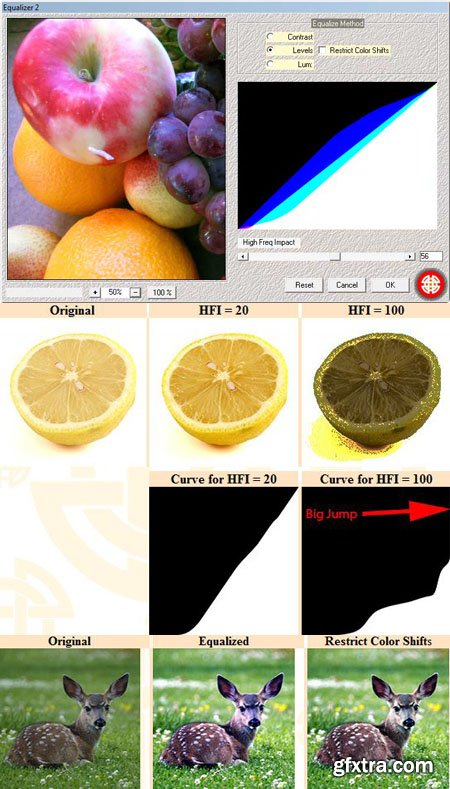
The plugin Equalizer 2 offers three methods of equalization, with options to make this process more exploitable. Roughly speaking, equalization is a process that generate for each image a theoretically optimal curve, which once applied to that image, improve global contrast in a relevant way.
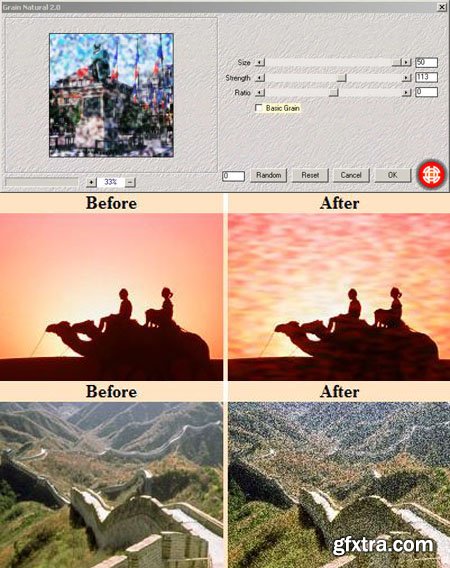
Grain Natural 2 Plugin for Adobe Photoshop | 8 MB
Grain Natural 2 allows to generate grains of variable size. This plugin exploits colours already present in the image to achieve a natural result. NB : Grain natural is suitable particularly for images with strong contrast. Notice that this filter does not affect all the colours in the same way. The farthest colours from the neutral grey (on the example above: the wall and the shadow) are the least affected.
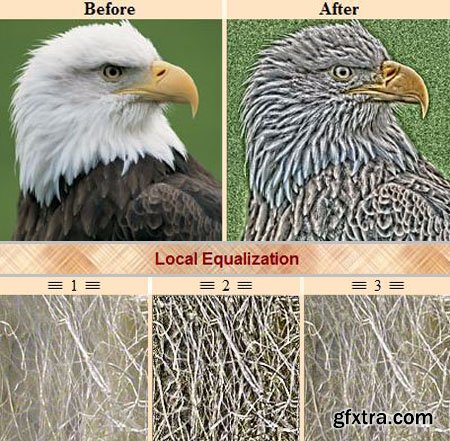
Local Equalization Plugin for Adobe Photoshop | 10.6 MB
This plugin proceeds in every pixel to a local equalization of the luminosity, with a matrix of 17x17 pixels. From an artistic point of view, local equalization can be interesting if you wish to stress the aspect of a given texture. But this process can be also used to analyze an image where certain details are barely perceptible.
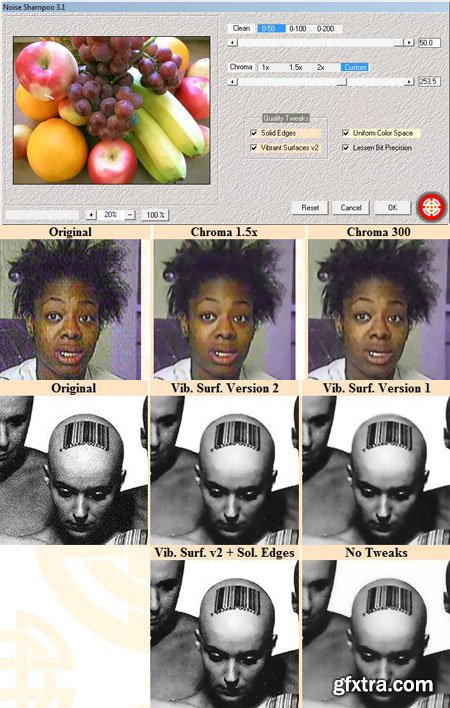
Noise Shampoo 3.1 Plugin for Adobe Photoshop | 9.95 MB
Noise Shampoo 3.1 is an edge-preserving smoothing filter. It can be used to reduce noise on pictures, or to simplify them.
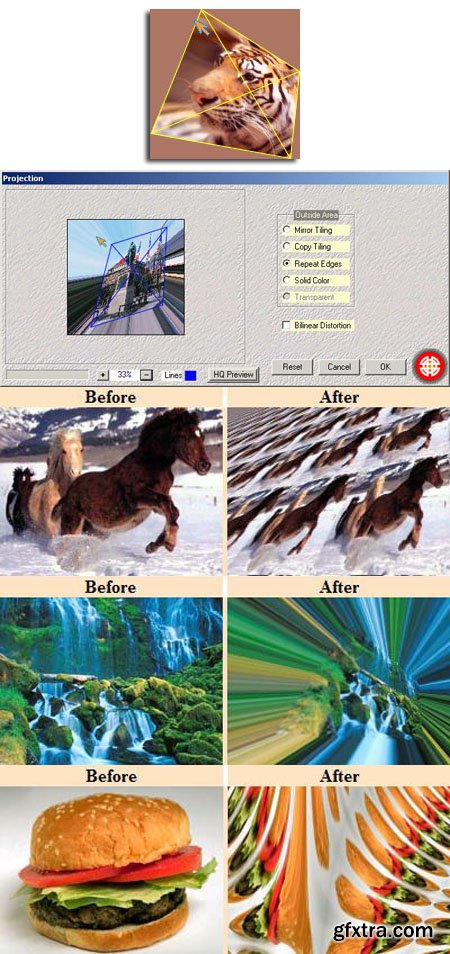
Projection Plugin for Adobe Photoshop | 11.5 MB
The plugin Projection provides a collection of interactive perspective effects: ability to tile image in infinite space (copy or mirror mode), or to repeat edges ... Bonus: the unusual Bilinear Distortion. The 3D effect can be reached simply by moving the corners of the image (in the preview window). Warning: Each time you perform this kind of operation you should press just after the button . (Otherwise quality of the preview is draft and is not representative of the final output).
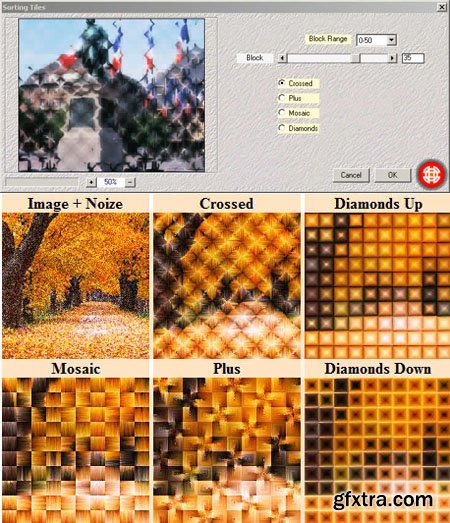
Sorting Tiles Plugin for Adobe Photoshop | 9.54 MB
Sorting Tiles imitates vaguely painting. Fundamentally, the filter cuts image in several blocks, makes a sorting of colours, and redistributes these ones following more or less complicated patterns.
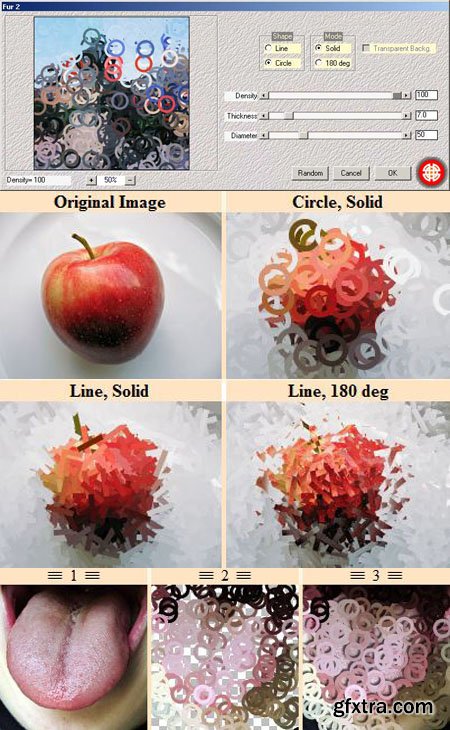
Fur 2 Plugin for Adobe Photoshop | 9 MB
The plugin Fur 2, disperse a simple figure (line or circle, configurable dimensions/thickness) over the whole image.
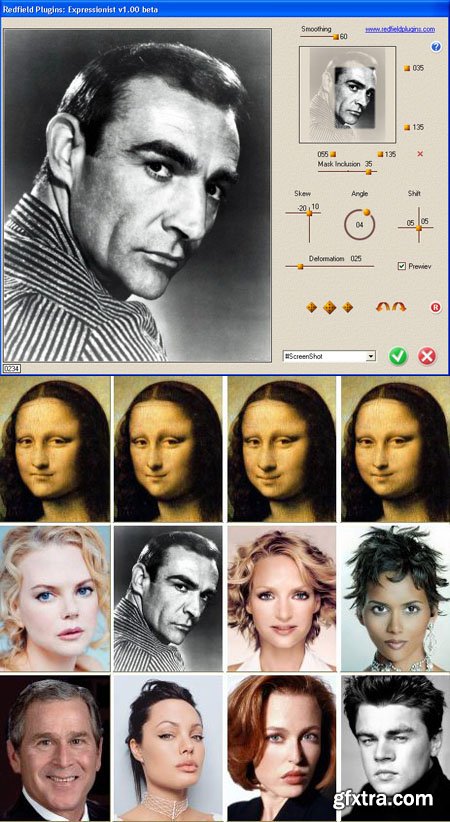
Face Control 2.0 Plugin for Adobe Photoshop | 9.79 MB
Face Control plug-in is a precision tool for facial expression synthesis, for making caricatures from photos, and for animated portraits creation. The plug-in uses Self-Organizing Lens technique that looks like so-called liquify manipulation. The shape of lens duplicates the image relief, you can adjust the lens integrated characteristics, such as skew, shift, and angle of refraction. The random variations generator helps you to create a grotesque caricature with just a few mouse clicks. The disbalance of some facial metrics (e.g., the eyes shape diversity) can be easily corrected with help of your Image Editor tools, like the liquefy filter of Adobe Photoshop.
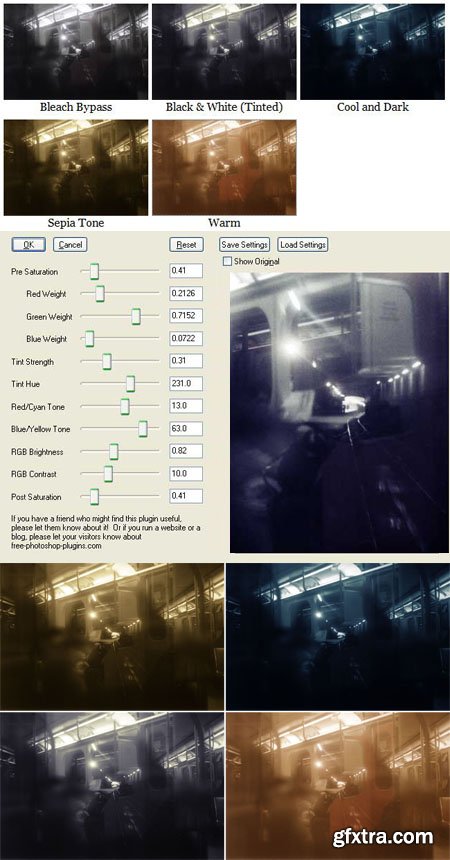
Tint 1.0.4 Plugin for Adobe Photoshop | 8.83 MB
This plug-in allows you to add tints to an image for artistic effect. e.g. sepia tone, warm, cool, bleach bypass, etc. It can also convert images to black & white and can emulate the use of color filters used for black and white photography.
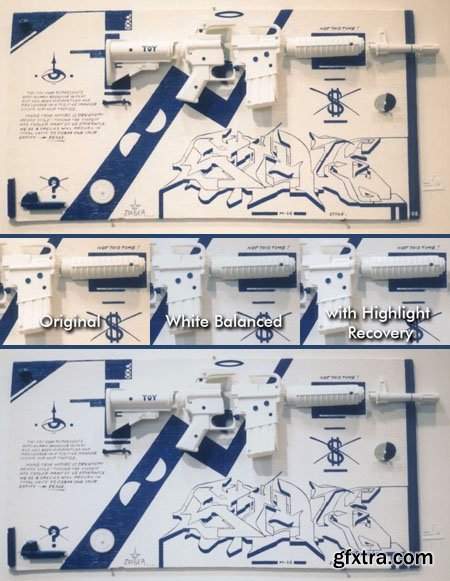
White Balance / Highlight Recovery 1.0.7 Plugin for Adobe Photoshop | 10.5 MB
Applying gain on the R, G, and B channels will cause one or two of these channels to exceed white level. Normally these values above white level are clipped. However, it is possible to use this information to make an intelligent guess about the other channel(s) that did not have gain applied. The ungained channel(s) will usually contain clipped values; highlight recovery will make an intelligent guess about what the original unclipped values were. If the original image does not contain perfect white balance, then highlight recovery offers the possibility of increasing dynamic range compared to no highlight recovery.
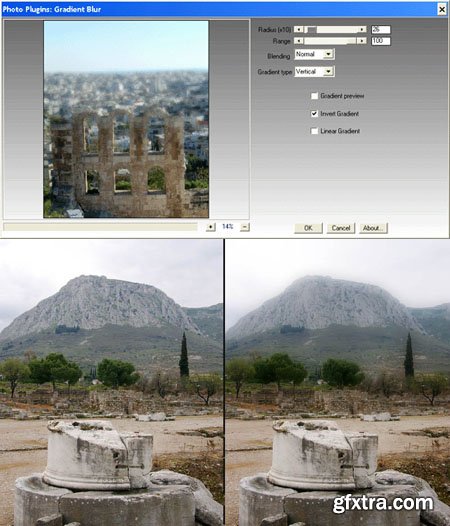
Gradient Blur Plugin for Adobe Photoshop | 7.75 MB
This plugin apllies a gradient blur that can help us draw the viewes attention to the photograph's main subject. There are sliders to control the position where the blur starts and it's strength. A preview mask can be displayed, and there is a selection between horizontal, verical and radial blurs.
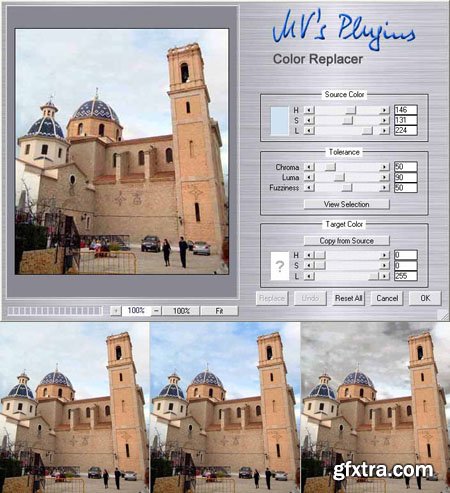
Color Replacer 6.2 Plugin for Adobe Photoshop | 8.65 MB
This filter performs color replacement functions. The function is similar to Photoshop's Replace Color command, however, this plugin is more flexible since you can select the source and target colors independently. Therefore, it is possible to tint gray areas with an arbitrary color, which can be useful for recovering the color in overexposed areas.
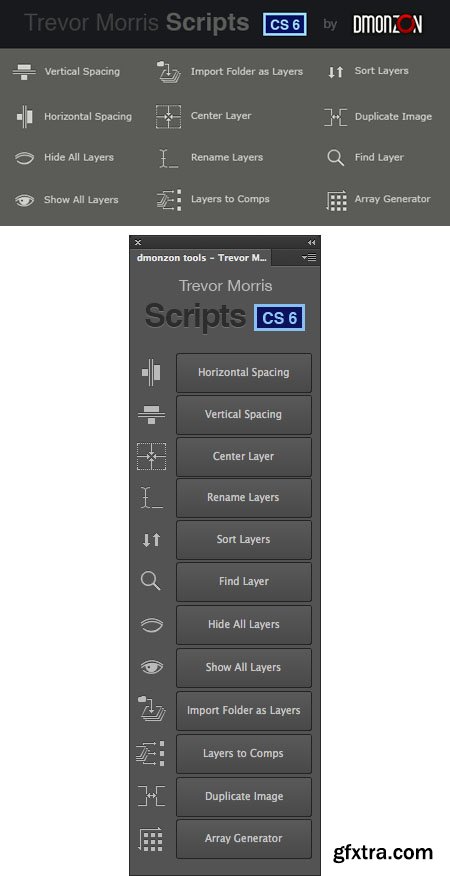
Dmonzon Tools - Trevor Morris Scripts CS6 - 12 New Photoshop Tools | 7.59 MB
Here is the NEW CS6 version of one of the best freebies ever for professional Photoshop users “Trevor Morris Scripts.“ It is a Photoshop panel with twelve incredibly useful tools that I use on a daily basis. I want to specially thank Trevor Morris for letting me use his scripts for making this photoshop panel. Please check his website for more information about the scripts and more interesting photoshop stuff.
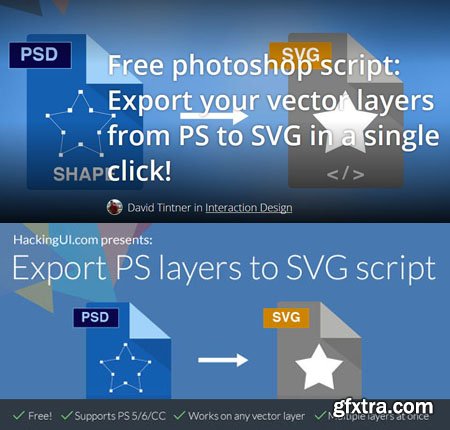
Export PS Layers to SVG 1.0 - Photoshop Script | 10 MB
Photoshop script: Export your vector layers from PS to SVG in a single click. inally a solution to one of the biggest and most annoying workflow setbacks in every interaction designer’s day. Here’s a free script that we created that will save you a lot of time slicing and restore your sanity.
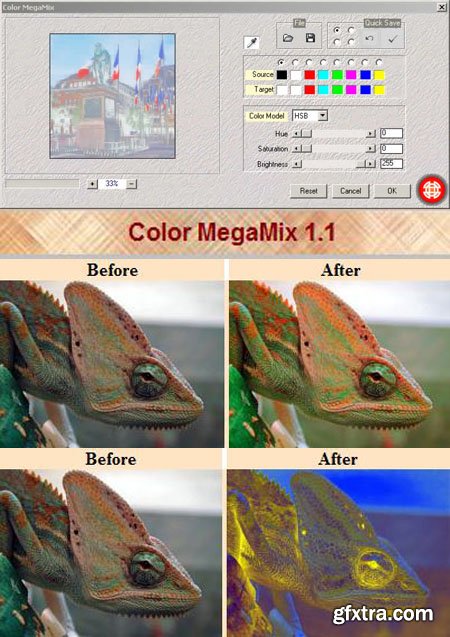
Color MegaMix 1.1 - Photoshop Plug-in | 1 MB
modifies the colors of any image. It is based on two rows of colors: 8 source colors and 8 target colors. According to these data, the plugin reconstructs completely the color space.
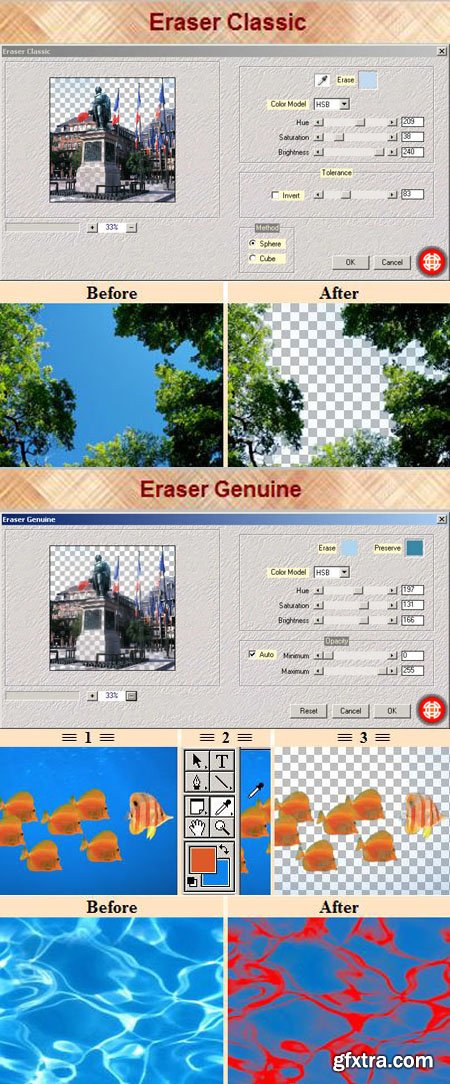
Eraser Classic & Eraser Genuine - Photoshop Plug-ins | 1 MB
Eraser classic allows to erase easily a given colour. A typical use: activate the eyedropper, select the colour directly in the preview window, and adjust tolerance . Eraser Genuine modifies image transparency according to two criteria: a colour you wish to erase and a colour you wish to protect. So, this plugin is particulary suitable for images where two colours oppose clearly.
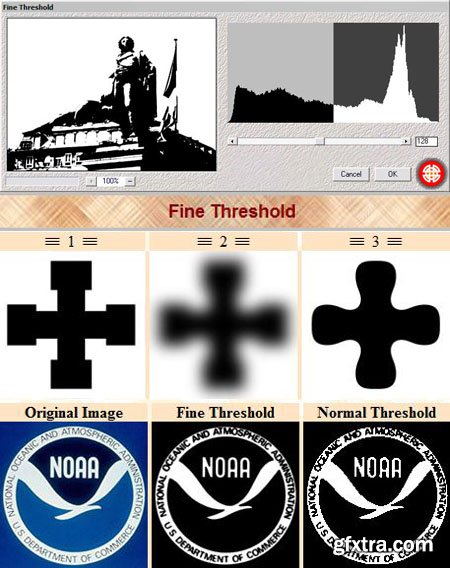
Fine Threshold - Photoshop Plugin | 1 MB
Unlike the traditional threshold command of Photoshop, the plugin Fine Threshold allows to get quickly, anti-aliased and sharp shapes.
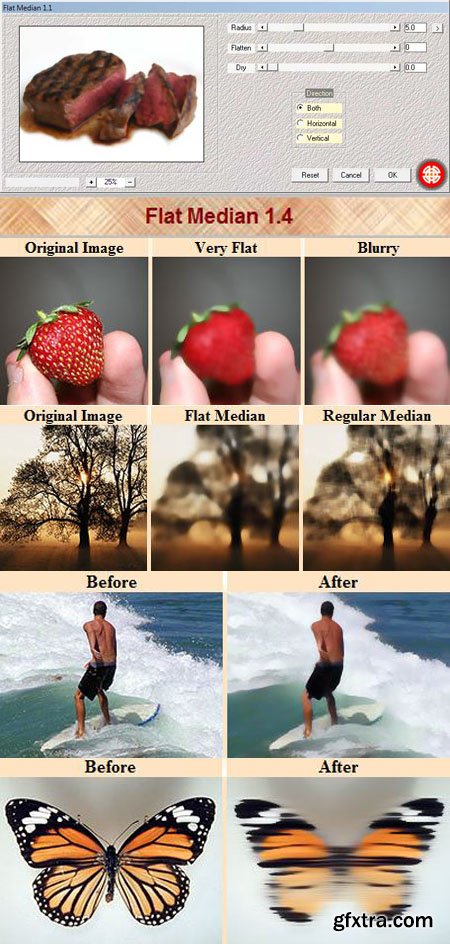
Flat Median 1.4 Photoshop Plug-in | 1 MB
Flat Median is a median-like effect which have some advantages over the regular median filter: you can control level of Flatness. At low level of flatness the result would look like a regular blur, while at high level the result would look more contrasty. it is isotropic just like gaussian blur. additionally, you can apply the effect on horizontal or vertical directions.
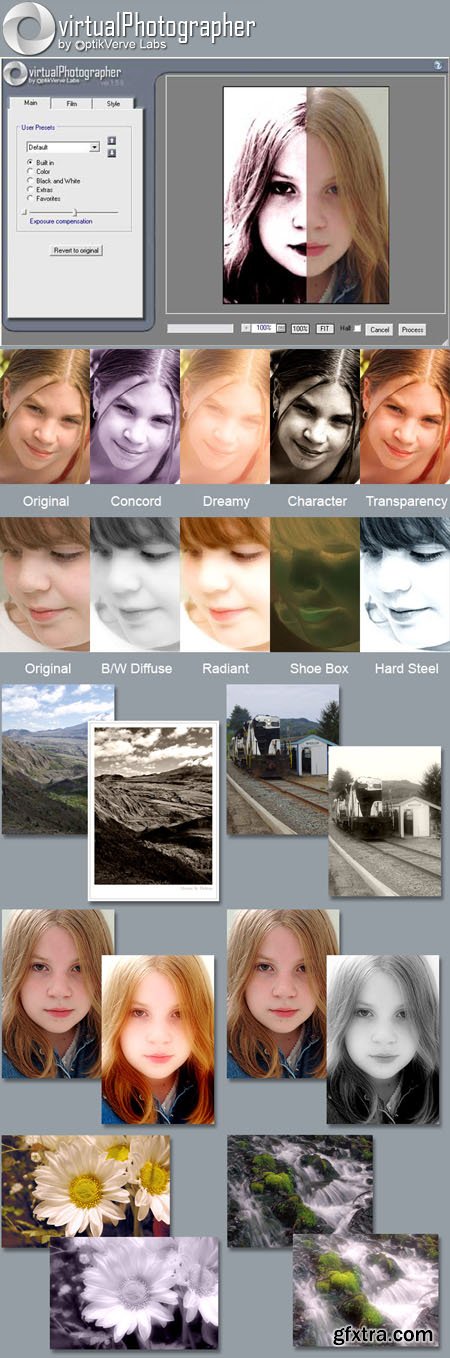
VirtualPhotographer 1.5.6 - Photoshop Plug-In | 1 MB
virtualPhotographer lets you instantly apply high quality, professional photographic styles to your digital imageswith just one click. Adjust film grain, color, B/W, soft focus, high contrast and many other effects to achieve the same professional-looking images that used to take hours of photo editing. Get great results in seconds. Get the latest version of our popular one-click photo effects plug-in downloaded by over 5 million digital photographers worldwide.
126,000 Royalty-Free 3D Model

Udemy Türkçe


Top Rated News
- CreativeLive Tutorial Collections
- Fasttracktutorials Course
- Chaos Cosmos Library
- MRMockup - Mockup Bundle
- Finding North Photography
- Sean Archer
- John Gress Photography
- Motion Science
- AwTeaches
- Learn Squared
- PhotoWhoa
- Houdini-Course
- Photigy
- August Dering Photography
- StudioGuti
- Creatoom
- Creature Art Teacher
- Creator Foundry
- Patreon Collections
- Udemy - Turkce
- BigFilms
- Jerry Ghionis
- ACIDBITE
- BigMediumSmall
- Globe Plants
- Unleashed Education
- The School of Photography
- Visual Education
- LeartesStudios - Cosmos
- Fxphd
- All Veer Fancy Collection!
- All OJO Images
- All ZZVe Vectors
- CGTrader 1 CGTrader 2



















