

Reset Pose Based on Selection - Maya Script (Python)
2 PY | 12 KB
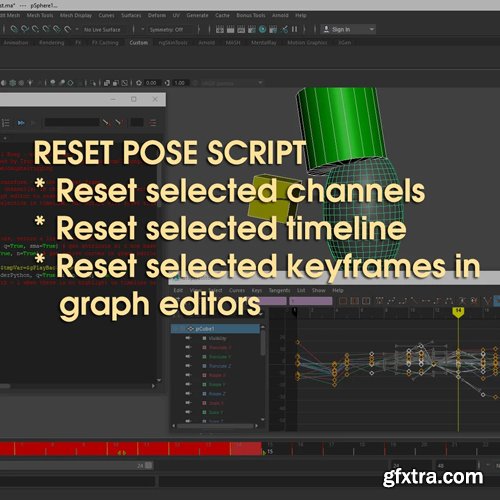
Basically what it does is to reset pose based on your selection:
- Option 1: select objects to reset transform - at the current frame.
- Option 2: select objects, then the channel(s) in channel box to reset these attributes only.
- Option 3: select keyframe(s) in graph editor to reset.
- Option 4: if there is highlighted selection in timelime, the script will reset this section only - it's working with selected channels too.
How to use?
Window > General Editor > Script Editor
Command > New Tab > Python
File > Load Script > and select the downloaded script
Select all the script (Ctrl + A) & hit Ctrl + Enter on keyboard
You can select all the script (Ctrl + A), then File > Save Script to Shelf. To make a shelf button for it.
You can also assign Hotkey for the script (just look up “Maya assign hotkey” on youtube/ google)


NeoSkola Bütün Kursları

Udemy Türkçe


Top Rated News
- TheBoudoirDivas All Tutorial
- 126,000 Royalty-Free 3D Models
- CreativeLive Tutorial Collections
- Fasttracktutorials Course
- Chaos Cosmos Library
- MRMockup - Mockup Bundle
- Finding North Photography
- Sean Archer
- John Gress Photography
- Motion Science
- AwTeaches
- Learn Squared
- PhotoWhoa
- Houdini-Course
- Photigy
- August Dering Photography
- StudioGuti
- Creatoom
- Creature Art Teacher
- Creator Foundry
- Patreon Collections
- Udemy - Turkce
- BigFilms
- Jerry Ghionis
- ACIDBITE
- BigMediumSmall
- Globe Plants
- Unleashed Education
- The School of Photography
- Visual Education
- LeartesStudios - Cosmos
- Fxphd
- All Veer Fancy Collection!
- All OJO Images
- All ZZVe Vectors
- CGTrader 1 CGTrader 2



















