





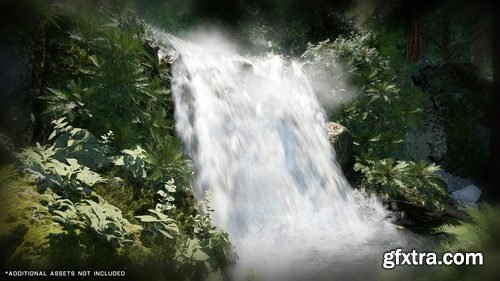
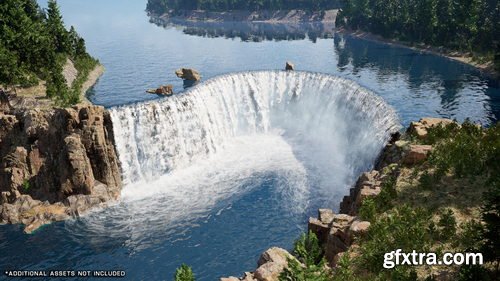
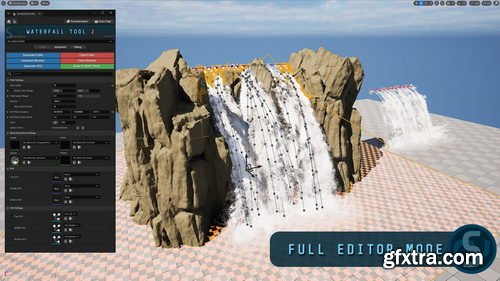
- Looking for an easy way to create realistic-looking waterfalls in your levels? The SHADERSOURCE - Waterfall Tool 2 adds an Editor Mode that does just that!
- Drag and drop a Waterfall Actor into a level and use the buttons in the Editor Mode to generate fluid paths, meshes, and VFX! Split into a Simple Mode and an Advanced Mode, this waterfall tool gives you the flexibility to modify all parts of the waterfall and how it’s generated, from little intervention to tweaking minor details.
- **Note: This asset is an Editor Mode with sample materials and FX. It is not an asset pack and does not contain all the landscaping assets used in the images and videos.**
- What makes this tool different from the previous SHADERSOURCE - Waterfall Tool? The previous waterfall tool is super simplistic in its approach of using spline mesh planes and has very limited functionality. This new waterfall tool has been built from the ground up as a way to create much more realistic and less-stylized waterfalls to cater for the ever-increasing demand for more realistic environments. It has many more variables and uses dynamic meshes and spline paths to build geometry from scratch, giving it the ability to bend along a cliff-face, rather than being a simple straight plane. It also includes audio components (sound effects not included), alongside demonstration materials and Niagara System assets.


With this pack you can enjoy 76 models of 3D fruits and vegetables and 41 high quality “Sets”, ready to use in your scenes without the need to invest the time and money necessary to capture them by yourself.
SOFTWARE REQUIREMENTS: 3D Studio MAX 2014 or superior and V-Ray 3.5 o superior
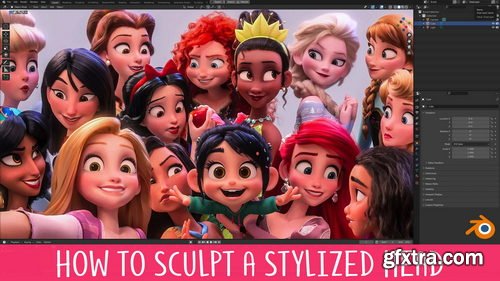
- You’ve probably been taught that sculpting the head starts with a sphere and ends with a head. That’s like reading a book without chapters! This unorganised approach makes the information more difficult to understand and retain.
- This course takes a different approach by breaking the process up into 8 manageable levels. You can think of these levels like checkpoints, and each builds on the one before it. This organises what you need to do and takes away much of the stress that comes with the daunting task of sculpting a head!
- Each level also becomes it’s own exercise, so you can really focus in on those areas you struggle most with!
- We all know the importance of using reference when working but 2D references are limiting, especially when you’re learning. Most of the time you have just a single image to work from. If you’re lucky you might have a character sheet that gives you Front, Side and 3/4 views. This is slightly better, but it’s far from ideal.
- The problem is that when you work in 3D you need to know how the model should look from any percievable angle, otherwise it falls apart. Unfortunately, character sheets don’t include references showing the model 37° to the left and 23° tiilted downwards.
- Having a 3D reference right there in the viewport removes any doubt by allowing you to rotate around the model however you like, whenever you like. I sincerely wish I had this when I was starting out.
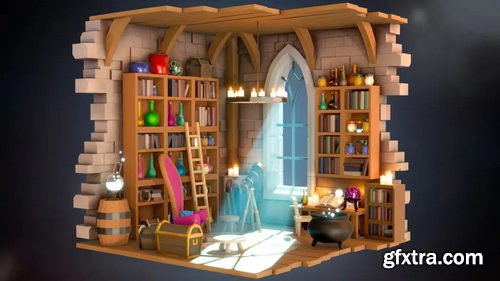
- Ever seen a cool isometric diorama and thought, "I wish I could make that"? Well, now you can! Our Blender Isometric Scene Creation course is designed so you to learn how to build those stunning scenes.
- In this course, you'll dive into Blender and master various modelling techniques, lighting, and rendering. You'll stack modifiers like a pro and use speed hacks to create awesome scenes faster than ever.
- We’ll guide you step-by-step through crafting isometric scenes, perfect for adding to your game dev portfolio. Imagine creating a magical wizard’s workshop or a cosy fantasy tavern, all in 3D!
- This course is perfect for beginners with a basic understanding of Blender. If you’ve made a few simple objects or taken a starter course, you’re ready to level up your skills and creativity!
- Not sure about complex tools? No worries! We focus on making things easier with tips and tricks for quick object creation and modifier use. Speed up your workflow and create stunning scenes in no time.
- You’ll learn to make objects that are easily adaptable, using techniques that save you time. Your scenes will look fantastic with advanced lighting, all without the hassle of a steep learning curve.
- Are you a game artist, designer, or just someone who loves 3D? This course is for you! It’s designed to help you create dynamic 3D environments for games or any other creative project.
- Join us and turn your ideas into reality. With our easy-to-follow lessons, you’ll quickly go from Blender beginner to isometric scene expert.
- Ready to start crafting your own magical worlds? Let’s go!
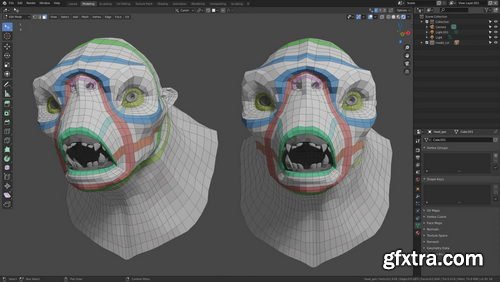
- Learn how to do retopology in Blender using simple and effective techniques. We cover all the tools you'll need as well as a lot of fundamental theory. With over 4 hours of training, this covers everything you need to know about retopology. By the end, you'll know how to retopo your all own characters!
- Industry Techniques: Your instructor, Henning Sanden, has been doing retopology for characters for over a decade - most notably he retopologized the Xenomorph from Alien Covenant. The techniques shown in this series are exactly the same as the ones used on the Xenomorph.
- Fundamentals: We focus heavily on strong fundamentals in Retopology in Blender. Instead of just showing you the different steps, we cover why you retopo like you do. The concepts shown are applicable in all 3D software and are universal.
- Blender Retopology Tools: Throughout Retopology in Blender, we'll use the default modeling tools. No plugins needed! Blender has a great set of tools which are excellent for retopology. We cover all the modeling tools needed, like extrude, polybuild, merge, f2 - and many more!
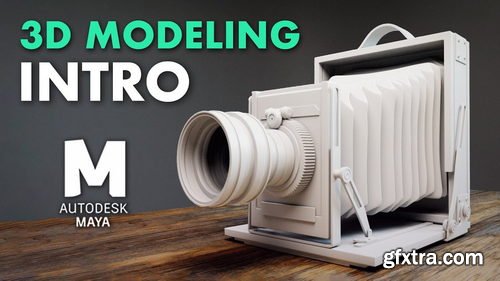
- Learn everything you need to know in order to get started with modeling in Maya! Learn the basic modeling tools, how to model for SubD, master topology, using sweep mesh, vert re-ordering, using deformers, and we're simply scratching the surface!
- PROJECT-BASED: We believe it’s important to learn both how the tools work and also how to actually practically use them. The antique camera project is a 3-hour long real-time series where you can easily follow along. You'll learn industry-standard techniques for building a high-quality antique camera, combining everything you've learnt in the course.
- SKILL LEVEL: Introduction to Modeling in Maya is the perfect series for beginners! If you’re interested in learning modeling in Maya, this is the series for you. No modeling knowledge in Maya is required though we recommend that you know the complete basics, such as how to navigate.

Supreme Sports Pack
https://flyerbundlepro.com/supreme-sports-psd-pack/
High-Quality PSD Files.
Fully customizable, easy to edit design elements and model files.
General Flyer size: 1080×1350 pixels, some Flyers are 1080×1080 and some are 2160×2700.
All of them are in RGB.
We do not provide the fonts of the project, as we do not have the rights to do it.
That's right! Rhino is a powerful 3D modeling software used in various industries such as architecture, industrial design, jewelry design, and more. Its versatility in handling different types of geometry like NURBS, SubD, point clouds, and polygon meshes makes it a favorite among designers and engineers. And its capability to handle complex projects without imposing limits on complexity, degree, or size, except for hardware limitations, adds to its appeal. It's a go-to tool for professionals looking for flexibility and precision in their 3D modeling work.


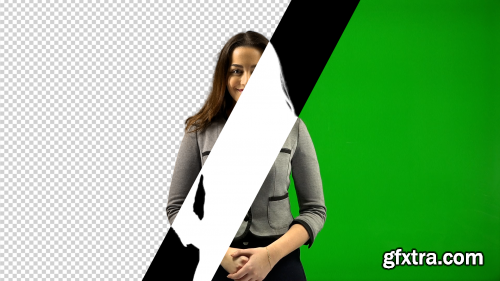
Aescripts - Goodbye Greenscreen v2.1.15 Win/Mac
https://aescripts.com/goodbye-greenscreen/
Artificial Intelligence-based plugin for background matting and keying.
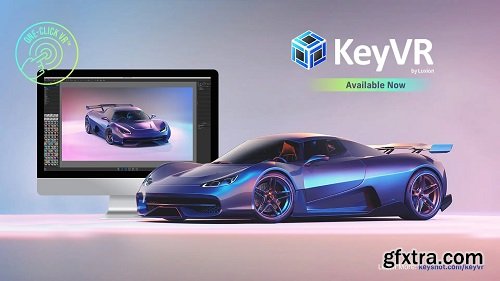
KeyShot Studio VR from KeyShot enables a quick, interactive VR experience without programming. One-click VR with minimal preparation, experience a scene in a VR environment directly from KeyShot. Any KSP or Bip file can be called up. The scenes can be walked through interactively. KeyShot Studio VR can also be installed without KeyShot in order to visualize existing KeyShot files. Multi-materials, animation and model sets are supported. The person can be guided in VR using the boss mode.
KeyShot is designed to make 3D rendering and animation easy. It allows you to apply materials and lighting fast and provides the most accurate materials appearances and real-world lighting, all in a powerful interface that provides advanced capabilities and the ability to see all your changes in real-time. So, what is KeyShot? And what does it help you do?

Language: English (US) | Size: 1.32 GB | Duration: 1h 25m
https://www.udemy.com/course/sap2000-basics-for-beginners-structural-analysis-program/
Analyze Structural Elements Using SAP2000 For Engineers & Architects
126,000 Royalty-Free 3D Model

Udemy Türkçe


Top Rated News
- CreativeLive Tutorial Collections
- Fasttracktutorials Course
- Chaos Cosmos Library
- MRMockup - Mockup Bundle
- Finding North Photography
- Sean Archer
- John Gress Photography
- Motion Science
- AwTeaches
- Learn Squared
- PhotoWhoa
- Houdini-Course
- Photigy
- August Dering Photography
- StudioGuti
- Creatoom
- Creature Art Teacher
- Creator Foundry
- Patreon Collections
- Udemy - Turkce
- BigFilms
- Jerry Ghionis
- ACIDBITE
- BigMediumSmall
- Globe Plants
- Unleashed Education
- The School of Photography
- Visual Education
- LeartesStudios - Cosmos
- Fxphd
- All Veer Fancy Collection!
- All OJO Images
- All ZZVe Vectors
- CGTrader 1 CGTrader 2



















