


- Form Design – by TimJ is a cutting-edge training course crafted for artists, motion designers, and Houdini users who want to elevate their visual language through the art of form creation. This premium CGCircuit tutorial focuses on building expressive, dynamic, and aesthetically refined shapes inside Houdini, transforming abstract ideas into captivating styleframes ready for animation, branding, or high-end visual storytelling.

 Comments: (0)

CGCircuit - Houdini FLIP FX: Container Ship vs Monster Wave
https://www.cgcircuit.com/tutorial/houdini-flip-fx-container-ship-vs-monster-wave
Released on: 11/20/2025 | Updated on: 11/20/2025 | Category: FXs, Rendering | Total Duration: 4h 6m 18s | Level: From Intermediate to Advanced | Language: English
- Create a cinematic, production-ready ocean FX shot in Houdini by simulating a massive tidal wave colliding with a cargo ship. This advanced course walks through every major phase of the workflow, from building optimized FLIP simulations and meshing, to secondary effects like whitewater and mist, and rendering with Karma CPU. You'll also gain access to high-quality example files—including a detailed ship model—to follow along step-by-step.
- A key focus of the course is to use simple Houdini native tools and tricks to achieve the best visual cinematic output. Rather than relying on overly complex setups, the course emphasizes clarity, efficiency, and smart design choices to get professional results. Whether you're aiming to level up your water FX skills or integrate Houdini into your film or game pipeline, this course equips you with practical, industry-relevant techniques for large-scale ocean VFX shots.
- Note. This course focuses only on the Houdini FX workflow. The compositing for the final shot is not included. The finished comp was created by Fabian Nowack using Nuke.
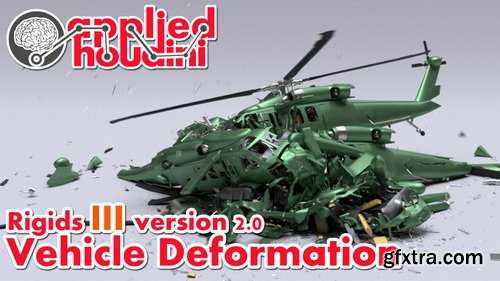
CGCircuit - Applied Houdini - Applied Houdini - Rigids III version 2.0
https://www.cgcircuit.com/tutorial/applied-houdini---rigids-iii-version-2.0
Category: FXs | Total Duration: 4h 46m 14s | Level: Intermediate | Language: English
- Applied Houdini is here with a spectacular new version of Rigids III - Vehicle deformation! In this lesson we'll tackle everything that goes into making high quality vehicle destruction, from deforming metal to spinning axles. Along the way, demos and breakdowns make advanced topics easy to understand before they are implemented in practice. Constraints in particular will be explored in depth, especially understanding how they're working under the hood, as well as strategies for keeping a complex rig of various physical materials organized on a higher level. We'll bring it all together in a rain of helicopter mayhem, that we'll then shade, light, render, and finish off with a simple composite. Master high and low level rigid body deformation tools and workflows today with Applied Houdini!
- Applied Houdini is a production quality oriented series created by Steven Knipping, currently a Senior Rigid Body Destruction / FX Technical Director at Lucasfilm's Industrial Light & Magic (Star Wars: Rise of Skywalker, Star Wars: The Last Jedi, Aquaman, Star Wars: Rogue One). Benefit from production proven workflows while also getting an in depth explanation of why things works they way they do. Best of all - each video is crammed with actual information and footnotes instead of gratuitous talking and dead space.
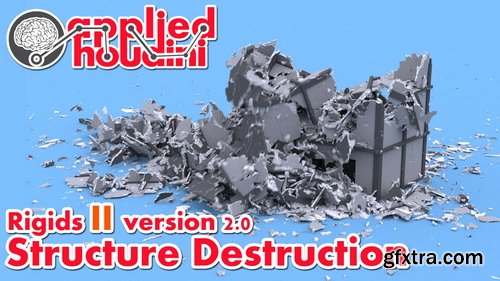
CGCircuit - Applied Houdini - Rigids II version 2.0
https://www.cgcircuit.com/tutorial/applied-houdini---rigids-ii-version-2.0?overviewTab
Category: FXs | Total Duration: 5h 32m 40s | Level: From Beginner to Intermediate | Tools used: Houdini | Prerequisites: Rigids I
- Applied Houdini is back with a huge upgrade to one of my most popular tutorials, Rigids II - Structure Destruction! In this lesson we're going to procedurally model a building that takes advantage of geometry instancing in order to create a super memory efficient and detailed rigid body simulation that is still art directable! This beautiful concrete and glass building will be held together with a custom constraint system, and then blown up over and over again when we run a bunch of simulations using Houdini's new Procedural Dependency Graph (or PDG) workflow. These "wedges" will use TOPs nodes to run sims at the same time, render previews, burn in text, and even create final movies on disk that we can use to make decisions about our sim settings. Once we converge on a simulation that we like, we'll shade, light, and render it in Mantra - but also as a bonus, I'll show you how to optimally import our result into Solaris as well, using LOPs to bring our still instanced-enabled geometry over to USD so we can render our building collapse in Karma. There's a lot to learn and love in this new update, and I hope you have fun exploring all the new ways making detailed destruction in Houdini is better than ever!
- Applied Houdini is a production quality oriented series created by Steven Knipping, currently a Senior Rigid Body Destruction / FX Technical Director at Lucasfilm's Industrial Light & Magic (Star Wars: Rise of Skywalker, Star Wars: The Last Jedi, Aquaman, Star Wars: Rogue One). Benefit from production proven workflows while also getting an in depth explanation of why things works they way they do. Best of all - each video is crammed with actual information and footnotes instead of gratuitous talking and dead space.
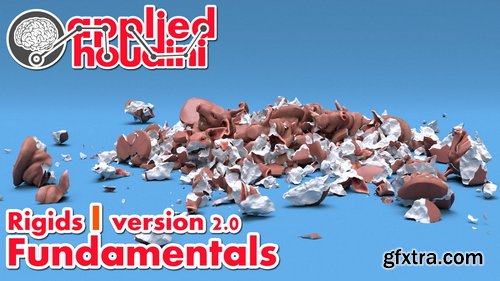
CGCircuit - Applied Houdini - Rigids I version 2.0
https://www.cgcircuit.com/course/applied-houdini---rigids-i-version-2.0
Category: FXs | Total Duration: 1h 46m 25s | Level: Beginner | Tools used: Houdini, Houdini 18
- Welcome back to Applied Houdini for Rigids I v2! In this lesson we're going to talk about really understanding how Rigid Body Dynamics work, and how they are represented in Houdini. We'll start with the foundations of packed instancing, transformations, and fracturing, cover constraints and important dynamics properties, and work up to using Houdini's RBD toolset to tackle more complex setups faster than ever before. As usual, the goal is for you to understand how and why things work the way they do so that you can further customize and problem solve on your own. By the end we'll even render it so it looks kind of nice!
- Applied Houdini is a production quality oriented series created by Steven Knipping, currently a Senior Rigid Body Destruction / FX Technical Director at Lucasfilm's Industrial Light & Magic (Star Wars: Rise of Skywalker, Star Wars: The Last Jedi, Aquaman, Star Wars: Rogue One). Benefit from production proven workflows while also getting an in depth explanation of why things works they way they do. Best of all - each video is crammed with actual information and footnotes instead of gratuitous talking and dead space.

https://www.cgcircuit.com/course/the-carfx---houdini-car-destruction
- This is TheCarFX—a 10+ hour in-depth Houdini training course focused on building a complete vehicle destruction pipeline from the ground up.
- Learn how to take a high-res CG car and smash it to pieces, while maintaining full control over constraints, timing, and realism.
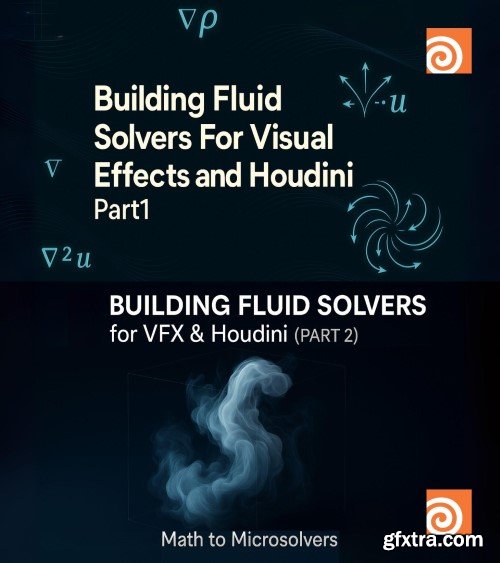
- Are you ready to dive deep into the fascinating world of fluid dynamics and truly understand what makes realistic simulations tick? This comprehensive course, expertly designed for VFX artists and Houdini enthusiasts, goes beyond simply showing you how to use existing tools. Instead, it empowers you to build your own custom fluid solvers from scratch, giving you unparalleled control and a profound understanding of the underlying principles. Houdini is an industry standard for a reason, and while it offers incredible fluid capabilities, a true master knows how to extend those boundaries. This course bridges the gap between theoretical knowledge and practical application, guiding you step-by-step through the process of developing efficient and visually stunning fluid solvers. You'll begin by establishing a solid foundation in the mathematical concepts that govern fluid behavior, demystifying complex equations and translating them into tangible, creative control.

- In this Houdini Essential series, we are going to take a look at some advanced Flip Fluid techniques in Houdini to create a large scale water splash. We will dissect various parameters of the flip solver such as droplets, narrow banding and drag fields to control the scale of our simulation. We will construct custom VDBs of our geometry for accurate collisions. We then will effectively use the new white water system and talk about repellents, erosion, density controls, etc to control and create our foam elements. This is followed by taking a look at the meshing workflow where we will use some custom smoothing techniques and talk about flattening our mesh. This course has been designed for intermediate to advanced Houdini users. A basic knowledge of DOPs and Flip Fluids in general is needed even though we will be creating everything from the group up. Upon finishing this course, an artist will be very familiar with the inner workings of flip solver in Houdini so as to be able to create dramatic whitewater and large scale splash effects with ease.
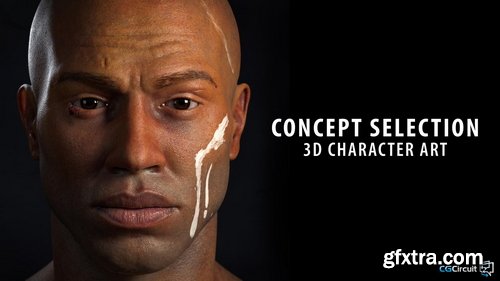
CGCircuit - Concept Selection: 3D Character art
https://www.cgcircuit.com/course/concept-selection-3d-character-art
Category: Sculpting | Total Duration: 48m 45s | Level: Everybody | Language: English
- In this tutorial you will learn the importance of the concept selection at the moment of creating a 3D character, what makes this character appealing and what makes a 3D character piece successful. This course has been designed for beginners but it also will help to refresh some concepts for intermediate artists. This is the first of a series of tutorials where we will create a full 3D character ready for production. This series of tutorials will increase its complexity on each of them finishing with an intermediate or advanced level final piece.
- After viewing this course, people can expect to be able to choose the right concepts for their next portfolio 3D pieces and with this, start with the right feet on the process of getting a job in the industry or just making a successful 3D character art piece. I am a designer, 3D Character and asset artist from Argentina working freelance for different industries, I love to work on realistic characters and I try to push my limits in each piece. One of my latest projects was the “Bedouin Elf ''. With this project, I was lucky enough to get it selected on the Zbrush Summit 2020 Highlights and that gave me a lot of exposure. For this project the concept selection was a key and really exciting part of the process and I am glad to share with you my thought process behind it.
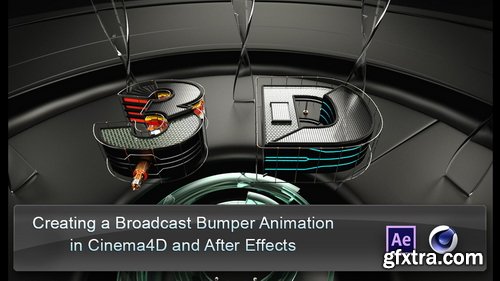
CGCircuit - Creating a Broadcast Intro in C4D
https://www.cgcircuit.com/course/creating-a-broadcast-intro-in-c4d
Category: Compositing, Modeling, Texturing, Animation, Rendering, Total Duration: 3h 8m 17s, Level: Intermediate, Language: English, Tools used: After Effects, Cinema 4D, Prerequisites: Some Cinema 4d Knowledge
- In this intermediate level tutorial we will create a motion graphics animation from start to finish. We will be covering all the aspects of the Cinema4D to After effects workflow. We will start by modeling all the objects that make up scene, we will then go into the materials and lighting, preparing the scene for final render and rendering the different passes that will be used to composite the final animation in After Effects. We will be discussing different subjects like hard surface modeling, linear workflow in C4D and After Effects, multipass compositing and C4D's physical renderer among others subjects. We will also talk about different approaches for the various tasks and emphasize in working in n organized manner to make our everyday projects more enjoyable.
126,000 Royalty-Free 3D Model

Udemy Türkçe


Top Rated News
- CreativeLive Tutorial Collections
- Fasttracktutorials Course
- Chaos Cosmos Library
- MRMockup - Mockup Bundle
- Finding North Photography
- Sean Archer
- John Gress Photography
- Motion Science
- AwTeaches
- Learn Squared
- PhotoWhoa
- Houdini-Course
- Photigy
- August Dering Photography
- StudioGuti
- Creatoom
- Creature Art Teacher
- Creator Foundry
- Patreon Collections
- Udemy - Turkce
- BigFilms
- Jerry Ghionis
- ACIDBITE
- BigMediumSmall
- Globe Plants
- Unleashed Education
- The School of Photography
- Visual Education
- LeartesStudios - Cosmos
- Fxphd
- All Veer Fancy Collection!
- All OJO Images
- All ZZVe Vectors
- CGTrader 1 CGTrader 2



















