

Categories: Vectors
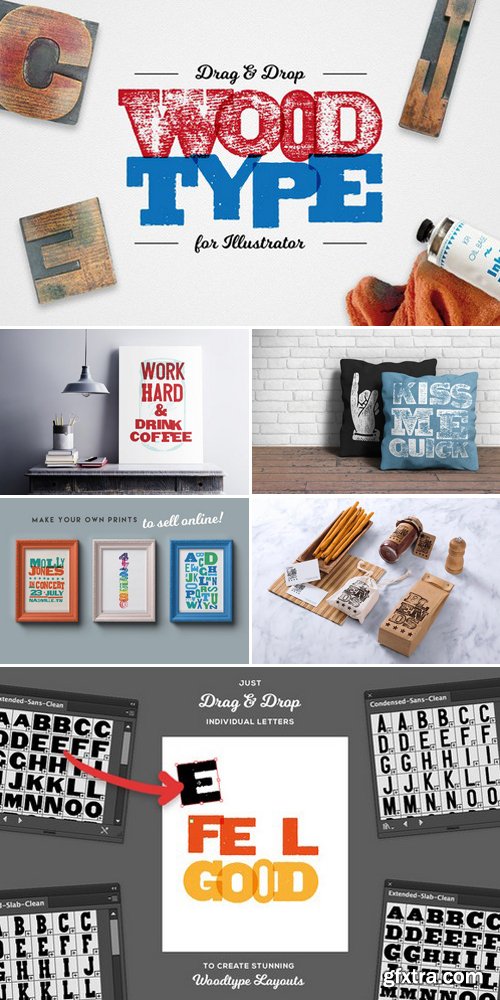
Drag & Drop WoodType for Illustrator
Ai
I love WoodType posters. I love the inconsistency of the print, the fact the letters don't always line up and sometimes the fact that some letters were missing and other typefaces were substituted in.
Unfortunately I have no access to the beautiful machinery. So I've built a tool set that enables you to quickly create your very own Woodtype layouts by simply dragging and dropping the letters onto your artboard like you were actually selecting them from a type drawer.
Rather than produce a font which would give you the same look every time, I have used Illustrator's powerful symbol libraries to make it super easy for you to choose your own way the letters go together.




Related Posts
Information
Members of Guests cannot leave comments.
NeoSkola Bütün Kursları

Udemy Türkçe


Top Rated News
- TheBoudoirDivas All Tutorial
- 126,000 Royalty-Free 3D Models
- CreativeLive Tutorial Collections
- Fasttracktutorials Course
- Chaos Cosmos Library
- MRMockup - Mockup Bundle
- Finding North Photography
- Sean Archer
- John Gress Photography
- Motion Science
- AwTeaches
- Learn Squared
- PhotoWhoa
- Houdini-Course
- Photigy
- August Dering Photography
- StudioGuti
- Creatoom
- Creature Art Teacher
- Creator Foundry
- Patreon Collections
- Udemy - Turkce
- BigFilms
- Jerry Ghionis
- ACIDBITE
- BigMediumSmall
- Globe Plants
- Unleashed Education
- The School of Photography
- Visual Education
- LeartesStudios - Cosmos
- Fxphd
- All Veer Fancy Collection!
- All OJO Images
- All ZZVe Vectors
- CGTrader 1 CGTrader 2



















