

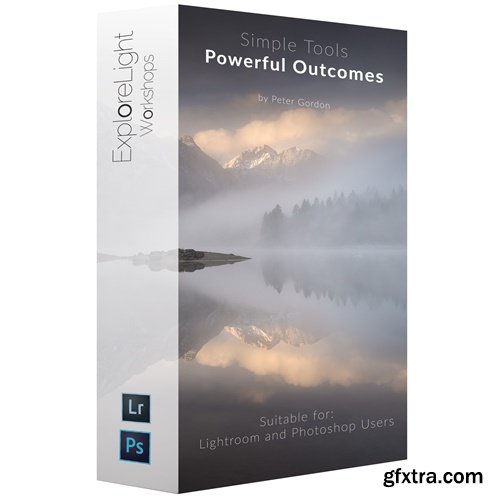
- Tired of head-spinning overly complicated post-processing tutorials? Let Peter teach you a range of easy-to-use tools with stunning results on the final finish of your landscape photographs. Lightroom user? Photoshop user? It doesn't matter! The tutorials will be made available to you in both software but with just one price. By the end of the course, you will have a new philosophy to editing with more creativity, a framework to hone that creativity, and the technical skills to implement your vision.
- All the core technical attributes of the software are covered from the basic panel through advanced techniques using range masks, brush tools, graduated filters, radial filters, and more. Expect to get all those technical benefits. But you can expect more from this course. You can expect to learn a new way of thinking about post-processing. This course is unique in that it goes beyond the 'HOW' we do things. It also delves deep into 'WHAT' you should do with your images. Full philosophy and workflow suitable for all levels. Simple Tools Powerful Outcomes has been specifically created for landscape photographers. It draws on Peter Gordon's extensive experience in the genre with an emphasis on creativity. Peter will teach you the tools he uses to get the most from his images in a simple and easy to digest structure and methodology. 33 Chapters. 5 Hours of Tuition. Online and Offline. Return to Any Lesson as Many Times as You Like. RAW files provided for the start to finish edits.
The Benefits COURSE CURRICULUM 1. INTRODUCTION Introduction How To Use This Course 2. PART 1 - CREATIVE CONCEPTS PART 2 - TECHNICAL SKILLS PART 3 - WORK ALONG START TO FINISH EDITS PART 1 will breakdown the philosophy of Peter’s approach to editing and explain a framework for a workflow that will dramatically improve your editing technique. A set of core ideas that informs everything Peter does in his workflow PART 2 will deal with the actual tools Peter uses to implement his workflow. The technical and mechanical, from basic adjustments like the shadows and highlights sliders, contrast, etc, to more sophisticated tools like range masking, and advanced techniques Peter has developed over many years with gradients and brushes. PART 3 is where technical and philosophical outlook meet. Peter will demonstrate a range of full edits and you will get the working files to practice along. Different moods from colourful and dramatic, moody, high key minimal and black and white.



126,000 Royalty-Free 3D Model

Udemy Türkçe


Top Rated News
- CreativeLive Tutorial Collections
- Fasttracktutorials Course
- Chaos Cosmos Library
- MRMockup - Mockup Bundle
- Finding North Photography
- Sean Archer
- John Gress Photography
- Motion Science
- AwTeaches
- Learn Squared
- PhotoWhoa
- Houdini-Course
- Photigy
- August Dering Photography
- StudioGuti
- Creatoom
- Creature Art Teacher
- Creator Foundry
- Patreon Collections
- Udemy - Turkce
- BigFilms
- Jerry Ghionis
- ACIDBITE
- BigMediumSmall
- Globe Plants
- Unleashed Education
- The School of Photography
- Visual Education
- LeartesStudios - Cosmos
- Fxphd
- All Veer Fancy Collection!
- All OJO Images
- All ZZVe Vectors
- CGTrader 1 CGTrader 2



















