

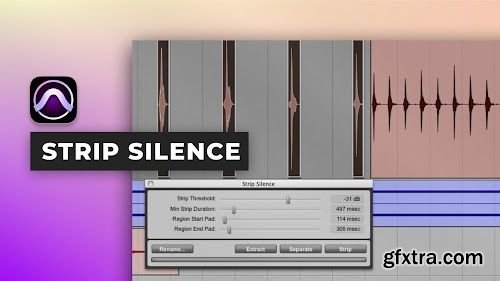
Puremix - Strip silence in Pro Tools
https://www.puremix.com/library/tutorials/explained/strip-silence-in-pro-tools
Pro Tools comes with a very handy function that allows you to clean your tracks in no time. All you have to do is set a threshold that tells Pro Tools that you would like to get rid of any signal under it. You can of course set time handles before and after each detected chunks for more refinement. This is a very powerful function that will speed your workflow if you know how to use it well. In this tutorial, Ben Lindell shows you how to get rid of undesired noise in percussion track.



Related Posts
Information
Members of Guests cannot leave comments.
126,000 Royalty-Free 3D Model

Udemy Türkçe


Top Rated News
- CreativeLive Tutorial Collections
- Fasttracktutorials Course
- Chaos Cosmos Library
- MRMockup - Mockup Bundle
- Finding North Photography
- Sean Archer
- John Gress Photography
- Motion Science
- AwTeaches
- Learn Squared
- PhotoWhoa
- Houdini-Course
- Photigy
- August Dering Photography
- StudioGuti
- Creatoom
- Creature Art Teacher
- Creator Foundry
- Patreon Collections
- Udemy - Turkce
- BigFilms
- Jerry Ghionis
- ACIDBITE
- BigMediumSmall
- Globe Plants
- Unleashed Education
- The School of Photography
- Visual Education
- LeartesStudios - Cosmos
- Fxphd
- All Veer Fancy Collection!
- All OJO Images
- All ZZVe Vectors
- CGTrader 1 CGTrader 2



















