

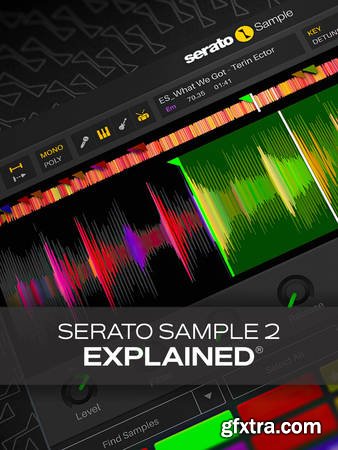
Larry begins by outlining the plug-in's interface so you can quickly familiarize yourself with the location of all the important elements of Sample 2.0. Then you'll learn all about the new Stems feature and see how it makes separating a source sample a breeze. This is followed by a full overview of the sample-loading process, waveform viewing options, and some basic editing features, such as transposition and changing tempo. Next, Larry covers the Beatgrid, where we have access to BPM changes throughout the sample by editing beat/bar markers, which is especially useful for older samples that may have not been recorded to a click, etc. You'll also discover how the autoset presets work, which can be used to automatically slice up a sample based on beat increments, randomization, and more. Throughout the rest of the course, you'll learn about all the other features of Sample 2.0, including playing cues up and down the keyboard, Serato DJ cues, creating/selecting/deleting cues manually, other cue parameters (filtering, time stretching, pitch shifting, routing, etc.), and more. Larry finishes off with a demonstration in which he creates a beat with Sample 2.0, so you can cement all your newly learned skills right away. If you're a beatmaker, DJ, or electronic producer, Serato Sample 2.0 is likely to be one of the centerpieces of your music production toolkit. With this course, you'll learn everything you need to know in order to use it however you see fit. Whether you just need to quickly chop up a drum pattern or go deep into creative sound design, it's all here. Check out the individual Serato Sample 2.0 video tutorial descriptions for more information on just what this amazing piece of software can do and how you can make it a part of your production workflow. The future of sampling awaits... watch "Serato Sample 2.0 Explained®" today! What You Will Learn: -Interface layout and using the Stems feature to easily separate any sample into individual instruments/vocals -Complete sample loading/selection process, manipulation, and navigation -Using Autoset to establish rules for automatically locating samples, chopping by beat increments, and more -How to tweak the complete set of cue parameters (filtering, time stretch, pitch shift, etc.) for complete control -And more!



126,000 Royalty-Free 3D Model

Udemy Türkçe


Top Rated News
- CreativeLive Tutorial Collections
- Fasttracktutorials Course
- Chaos Cosmos Library
- MRMockup - Mockup Bundle
- Finding North Photography
- Sean Archer
- John Gress Photography
- Motion Science
- AwTeaches
- Learn Squared
- PhotoWhoa
- Houdini-Course
- Photigy
- August Dering Photography
- StudioGuti
- Creatoom
- Creature Art Teacher
- Creator Foundry
- Patreon Collections
- Udemy - Turkce
- BigFilms
- Jerry Ghionis
- ACIDBITE
- BigMediumSmall
- Globe Plants
- Unleashed Education
- The School of Photography
- Visual Education
- LeartesStudios - Cosmos
- Fxphd
- All Veer Fancy Collection!
- All OJO Images
- All ZZVe Vectors
- CGTrader 1 CGTrader 2



















