

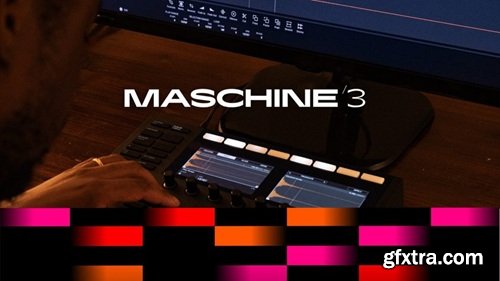
Native Instruments Maschine v3.5.0
Windows | 550 MB
Beat making and music production software
Maschine is all about getting your musical ideas flowing. It’s there every step of the way. Lay down beats, sample, arrange, and perform with virtual instruments or your own sounds – solo or in a DAW. Ready to take things up a gear? Get hands on with Maschine hardware.
What’s new in Maschine 3? Stem separation Import any track and Maschine will identify bass, drums, vocals, and other elements at the click of the button. Stem separation opens up a whole world of sampling possibilities, all powered by iZotope’s legendary RX technology. Tempo per scene Set custom tempos per scene to shape the energy in your arrangement with ease. Perfect for complex sound design and dramatic flows. Redesigned Modulation Editor Make fluid edits with expressive control thanks to smoother visuals and powerful new creative tools. Draw curves, sketch modulation, and edit multiple points at once with DAW-level precision. Modulation in the Arranger Fine-tune your tracks automation directly in the arranger view, using powerful new tools like curves, grid-snapping, drag-to-edit, marquee select, and updated shortcuts. User chords Easily create, save, and tweak your own chord sets right from your Maschine hardware. Explore unique harmonic structures, tailor your sound to genres, and much more. Play Series instruments on Maschine+ Maschine 3 brings next-level standalone production to life - now with compatibility for a selection of Play Series instruments and effects on Maschine+. Outstanding sound quality. Easy-to-use instruments. Each with their own distinctive sound and character, heaps of pro presets, and focused controls. A high-speed SD card is recommended for the best standalone experience. Changelog: 3.5.0 — 2026-05-04 Minimum OS requirements: - MacOS 14, 15, 26. - Windows 10 (latest Service Pack), Windows 11. ADDED Redesigned Sampler UI in Mixer view ADDED Kontrol S-Series MK3 browsing support in Maschine 3 ADDED Master / Group / Sound navigation from Kontrol S-Series MK3 in Maschine 3 ADDED Sound Focus behavior with On Trigger and Pinned modes ADDED Sound Focus control on supported Maschine hardware controllers ADDED Tag clouds are collapsed by default in the Browser FIXED Kontrol MK3 browser product tiles disappearing after applying a brand filter FIXED Instrument presets loading onto FX slots from the Kontrol MK3 browser FIXED Kontrol MK3 4D encoder LED feedback in the context of navigating a Maschine project FIXED Playhead in Sampler editor continuing beyond the end of the ADSR envelope home page: https://www.native-instruments.com/en/products/maschine/maschine-accessories/maschine-3/ 


126,000 Royalty-Free 3D Model

Udemy Türkçe


Top Rated News
- CreativeLive Tutorial Collections
- Fasttracktutorials Course
- Chaos Cosmos Library
- MRMockup - Mockup Bundle
- Finding North Photography
- Sean Archer
- John Gress Photography
- Motion Science
- AwTeaches
- Learn Squared
- PhotoWhoa
- Houdini-Course
- Photigy
- August Dering Photography
- StudioGuti
- Creatoom
- Creature Art Teacher
- Creator Foundry
- Patreon Collections
- Udemy - Turkce
- BigFilms
- Jerry Ghionis
- ACIDBITE
- BigMediumSmall
- Globe Plants
- Unleashed Education
- The School of Photography
- Visual Education
- LeartesStudios - Cosmos
- Fxphd
- All Veer Fancy Collection!
- All OJO Images
- All ZZVe Vectors
- CGTrader 1 CGTrader 2



















