

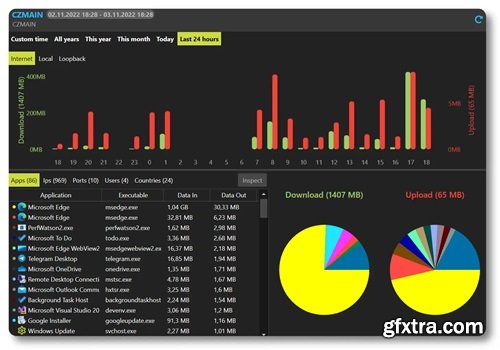
NetLimiter indeed sounds like a versatile tool for Windows users, especially for those who want to have granular control over their internet usage and network security. Its ability to manage bandwidth on a per-application basis can be particularly useful for optimizing network performance and ensuring that critical applications get the necessary resources.
NetLimiter gives you full network control over your computer. You will decide where your applications are allowed to connect and how fast these connections should be.
Full traffic control
Set exact download/upload speed limits to any application or give them higher priority to ensure that they always get enough bandwidth they need.
Internet traffic monitoring
You will not miss a single application connecting to the internet. You will also monitor how much data it transfers from or to internet. All also displayed in customizable charts.
Connection blocker
Using this simple and also interactive system of rules you will be allowed to specify which applications can connect to internet and under which conditions.
Quotas
Lets you set data transfer quotas for selected application/filter. If the quota is reached - limit, blocker rule or other rules could be enabled.
Operating System: Windows 7, 10, 11 and later
Home Page - http://www.netlimiter.com/


126,000 Royalty-Free 3D Model

Udemy Türkçe


Top Rated News
- CreativeLive Tutorial Collections
- Fasttracktutorials Course
- Chaos Cosmos Library
- MRMockup - Mockup Bundle
- Finding North Photography
- Sean Archer
- John Gress Photography
- Motion Science
- AwTeaches
- Learn Squared
- PhotoWhoa
- Houdini-Course
- Photigy
- August Dering Photography
- StudioGuti
- Creatoom
- Creature Art Teacher
- Creator Foundry
- Patreon Collections
- Udemy - Turkce
- BigFilms
- Jerry Ghionis
- ACIDBITE
- BigMediumSmall
- Globe Plants
- Unleashed Education
- The School of Photography
- Visual Education
- LeartesStudios - Cosmos
- Fxphd
- All Veer Fancy Collection!
- All OJO Images
- All ZZVe Vectors
- CGTrader 1 CGTrader 2



















