

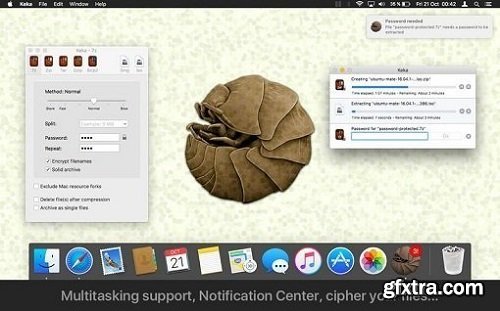
With Keka you can compress as many files as you want in a bunch of formats. Divide files and protect them with a password is now a kids game. Just drop the files you want to compress to the Keka icon in the Dock or the main window.
Also Keka can extract lots of compressed files, from Zip and 7z to Rar archives, even parted ones. Just double click on those files and they will be extracted using Keka, or drop them to the icon in the Dock or the main window. Compression formats supported: 7z, Zip, Tar, Gzip, Bzip2, DMG and ISO Extraction formats supported: RAR, 7z, Lzma, xz, Zip, Tar, Gzip, Bzip2, ISO, EXE, CAB, PAX and more Compatibility: OS X 10.7 or later, 64-bit processor More info - https://itunes.apple.com/us/app/keka/id470158793?mt=12 


126,000 Royalty-Free 3D Model

Udemy Türkçe


Top Rated News
- CreativeLive Tutorial Collections
- Fasttracktutorials Course
- Chaos Cosmos Library
- MRMockup - Mockup Bundle
- Finding North Photography
- Sean Archer
- John Gress Photography
- Motion Science
- AwTeaches
- Learn Squared
- PhotoWhoa
- Houdini-Course
- Photigy
- August Dering Photography
- StudioGuti
- Creatoom
- Creature Art Teacher
- Creator Foundry
- Patreon Collections
- Udemy - Turkce
- BigFilms
- Jerry Ghionis
- ACIDBITE
- BigMediumSmall
- Globe Plants
- Unleashed Education
- The School of Photography
- Visual Education
- LeartesStudios - Cosmos
- Fxphd
- All Veer Fancy Collection!
- All OJO Images
- All ZZVe Vectors
- CGTrader 1 CGTrader 2



















