

https://infamedavid.gumroad.com/l/Stop-O-motion
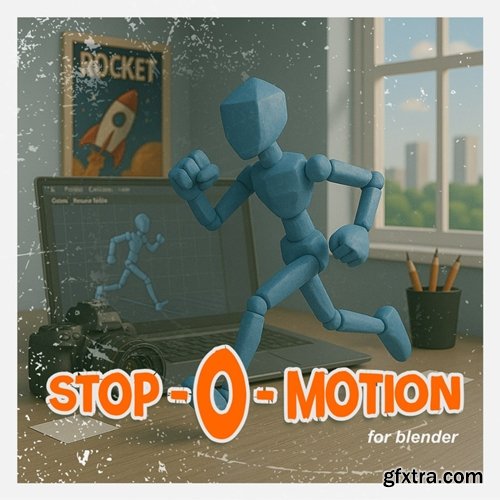
- Turn your perfectly smooth and boring animations into frame-by-frame style animations.
- This is an add-on for Blender that allows you to give your animations that man-made, irregular feel typical of frame-by-frame animation. Perfect for those who want to break free from the perfectly interpolated flow of traditional 3D and get closer to that more human, imperfect rhythm.
Stop Motion Aesthetic Stop motion animation isn't smooth. It has rhythm, it has jumps — it has that handmade charm. This Add-on captures that vibe with features that let you: Quantize keyframes: force keyframes to land on fixed intervals (every 2, every 3 frames or even both!). Constant interpolation: so there’s no blending between poses — just clean, abrupt jumps like it should be. Fill spaces: fixing the spacing to help you complete intermediate poses while maintaining the frame-by-frame logic. (unless you would like to tele transport stuff) Stepped modifier: a non-destructive way to apply that jumpy effect to your animation curves, with options to fine-tune the result. Noise modifier: a non-destructive way to apply subtle imperfection to each frame of your animation Only fix what you like: the operations only work in the selected interpolation curves. All designed to help your animation breathe that handmade spirit — without the hassle. Installation Download the 'Stopomotion.py" file. In Blender, go to Edit > Preferences > Add-ons > install from disk. Searh for the file and Click Install. Done! You’ve got Stop-O-motion in your setup. How to use it? Once installed, open the Dope Sheet, press N to open the side panel, and you’ll find a new tab called Stop-O-Motion. From there, you can: Select keyframes: select some or all. The addon works only on selected keyframes. Choose a quantization mode: on twos (every 2 frames), on threes, etc. Apply different operations: quantize, fill spaces, convert to constant interpolation, add or remove the Stepped modifier, and more. Adjust the Stepped modifier's parameters directly from the UI: frame range, blend in/out, influence… all without touching the graph editor. 


126,000 Royalty-Free 3D Model

Udemy Türkçe


Top Rated News
- CreativeLive Tutorial Collections
- Fasttracktutorials Course
- Chaos Cosmos Library
- MRMockup - Mockup Bundle
- Finding North Photography
- Sean Archer
- John Gress Photography
- Motion Science
- AwTeaches
- Learn Squared
- PhotoWhoa
- Houdini-Course
- Photigy
- August Dering Photography
- StudioGuti
- Creatoom
- Creature Art Teacher
- Creator Foundry
- Patreon Collections
- Udemy - Turkce
- BigFilms
- Jerry Ghionis
- ACIDBITE
- BigMediumSmall
- Globe Plants
- Unleashed Education
- The School of Photography
- Visual Education
- LeartesStudios - Cosmos
- Fxphd
- All Veer Fancy Collection!
- All OJO Images
- All ZZVe Vectors
- CGTrader 1 CGTrader 2



















