

https://aescripts.com/rename-it/
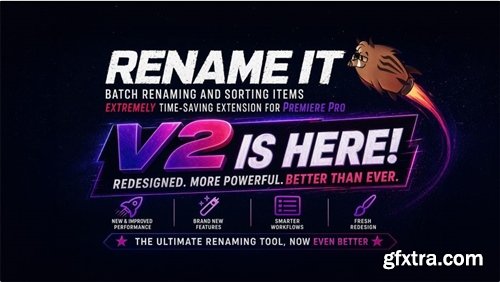
Batch renaming and sorting tool for Adobe Premiere Pro.
One panel to search, rename, and organize Rename It 2.0 makes the panel much more practical in real editing workflows: you can find clips and assets faster, preview bulk renaming more safely, and organize your project in a single pass instead of juggling multiple manual steps.
Premiere Pro: Project + Timeline in one pass — clearer names, less busywork.
What's New
Find the right clips and assets faster
• Project Window — search project items not just by name, but also by label color, resolution, FPS, pixel ratio, and duration
• Timeline — search clips in the active sequence with track and duration filtering
• Item types: All Items, Sequences, Videos, Images, Audio
• Search modes: search by attributes or work only with the current selection
• Track filtering — useful when you only want to process specific tracks
• Track prefix — add the track name directly to the new clip name
More control over what gets selected
• Sequences: width, height, FPS, pixel ratio, sample rate, fields, max bit depth, max render quality
• Videos: width, height, FPS, pixel ratio, fields, duration (min/max)
• Images: width, height, pixel ratio
• Audio: sample rate
Bulk renaming is more flexible and safer
• Replace text
• Use the original disk filename
• Full name replacement
• Prefix / Suffix — text, date, time, numbering
• Numbering: start value, leading zeros, prefix/suffix position
• Separator: space, underscore, hyphen
• New name preview before running helps reduce mistakes on large batches of clips and assets
Organize projects with less manual work
• Move items to an existing Bin
• Create a new Bin with a custom name and label color
• Refresh the folder list
• Combine Rename, Sort, and Labels in one workflow instead of handling them as separate manual tasks
Labels as part of the workflow
• Set Labels — change label color for found items either on its own or together with Rename/Sort
A clearer interface for daily editing work
• Result table columns: Name, Label, New Name, Track, Duration, In/Out (for Timeline)
• Click a row to reveal in Project or select on Timeline
• Double-click to open in Source Monitor
• Preview before applying changes
• Found items count indicator


126,000 Royalty-Free 3D Model

Udemy Türkçe


Top Rated News
- CreativeLive Tutorial Collections
- Fasttracktutorials Course
- Chaos Cosmos Library
- MRMockup - Mockup Bundle
- Finding North Photography
- Sean Archer
- John Gress Photography
- Motion Science
- AwTeaches
- Learn Squared
- PhotoWhoa
- Houdini-Course
- Photigy
- August Dering Photography
- StudioGuti
- Creatoom
- Creature Art Teacher
- Creator Foundry
- Patreon Collections
- Udemy - Turkce
- BigFilms
- Jerry Ghionis
- ACIDBITE
- BigMediumSmall
- Globe Plants
- Unleashed Education
- The School of Photography
- Visual Education
- LeartesStudios - Cosmos
- Fxphd
- All Veer Fancy Collection!
- All OJO Images
- All ZZVe Vectors
- CGTrader 1 CGTrader 2



















