


The easiest way to queue and batch queue movies, stills and thumbnails to new or pre-selected locations. With 4 customizable buttons to render out any output module or combination of output modules.
RenderQ saves the hassle of constantly switching between different output modules or locations in the Render Queu. Select your comps and RenderQ will queue them all up for you, Movies, Thumbnails, Stills, Multiple Ouput Modules, or even combinations, No more questioning whch folder you're rendering to, or accidentally forgetting to change an output module or render settings. With 4 buttons that you can customize in multiples ways to suit your workflow. Render out comps with dual output modules (ex: Full Res+Half res preview, Fill + Mattes, Image sequence + preview movies) Plus 4 different still preferences. Here's a few example configurations: 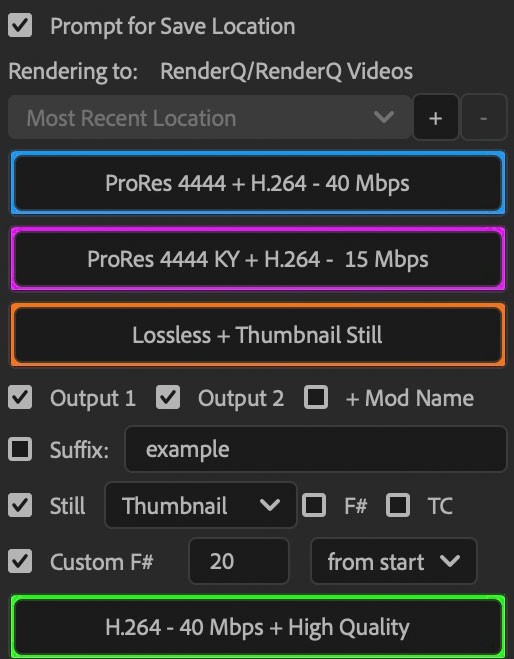



126,000 Royalty-Free 3D Model

Udemy Türkçe


Top Rated News
- CreativeLive Tutorial Collections
- Fasttracktutorials Course
- Chaos Cosmos Library
- MRMockup - Mockup Bundle
- Finding North Photography
- Sean Archer
- John Gress Photography
- Motion Science
- AwTeaches
- Learn Squared
- PhotoWhoa
- Houdini-Course
- Photigy
- August Dering Photography
- StudioGuti
- Creatoom
- Creature Art Teacher
- Creator Foundry
- Patreon Collections
- Udemy - Turkce
- BigFilms
- Jerry Ghionis
- ACIDBITE
- BigMediumSmall
- Globe Plants
- Unleashed Education
- The School of Photography
- Visual Education
- LeartesStudios - Cosmos
- Fxphd
- All Veer Fancy Collection!
- All OJO Images
- All ZZVe Vectors
- CGTrader 1 CGTrader 2



















