

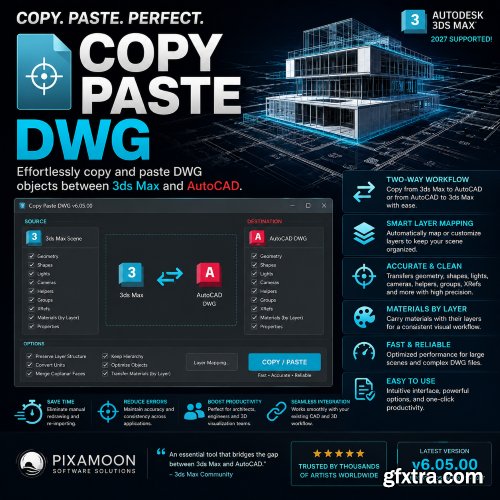
- Copy Paste DWG is a powerful productivity tool for Autodesk 3ds Max designed to simplify and accelerate the process of transferring CAD drawings directly from AutoCAD, DraftSight, NanoCAD, and other DWG-based applications into 3ds Max. Developed by Pixamoon, the plugin eliminates the need for repetitive importing workflows and gives artists, architects, and visualization professionals a faster and cleaner way to work with CAD data inside their 3D scenes



126,000 Royalty-Free 3D Model

Udemy Türkçe


Top Rated News
- CreativeLive Tutorial Collections
- Fasttracktutorials Course
- Chaos Cosmos Library
- MRMockup - Mockup Bundle
- Finding North Photography
- Sean Archer
- John Gress Photography
- Motion Science
- AwTeaches
- Learn Squared
- PhotoWhoa
- Houdini-Course
- Photigy
- August Dering Photography
- StudioGuti
- Creatoom
- Creature Art Teacher
- Creator Foundry
- Patreon Collections
- Udemy - Turkce
- BigFilms
- Jerry Ghionis
- ACIDBITE
- BigMediumSmall
- Globe Plants
- Unleashed Education
- The School of Photography
- Visual Education
- LeartesStudios - Cosmos
- Fxphd
- All Veer Fancy Collection!
- All OJO Images
- All ZZVe Vectors
- CGTrader 1 CGTrader 2



















