

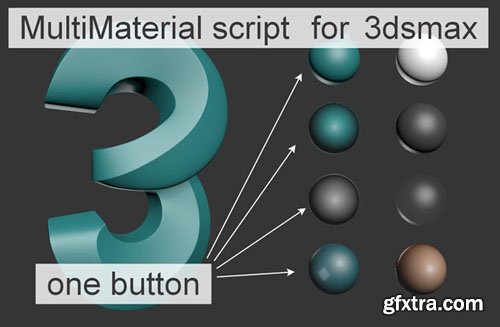
MultiMaterial v1.02 Script for 3dsmax | 15 MB
MatLibMulti for 3dsmax 2021+
Installation:
1) copy the contents of the folder to: Documents3ds Max 2022materiallibraries
2) open 3ds max go to the Slate Material Editor (hotkey-m) and download the Clay.mat library (Open Material Library) from Documents3ds Max 2022materiallibraries
3) install the script MatLibMulti.ms (drag to the max window or Scripting>Run Script)
Using:
LMB - Clay2side
LMB+shift - MatCap_1
LMB+ctrl - MatCap_2
LMB+alt - MatCap_3
LMB+shift+ctrl - MatCap_4
LMB+shift+alt - White
LMB+shift+ctrl - Black
LMB+shift+ctrl+alt - Transparent


Related Posts
Information
Members of Guests cannot leave comments.
126,000 Royalty-Free 3D Model

Udemy Türkçe


Top Rated News
- CreativeLive Tutorial Collections
- Fasttracktutorials Course
- Chaos Cosmos Library
- MRMockup - Mockup Bundle
- Finding North Photography
- Sean Archer
- John Gress Photography
- Motion Science
- AwTeaches
- Learn Squared
- PhotoWhoa
- Houdini-Course
- Photigy
- August Dering Photography
- StudioGuti
- Creatoom
- Creature Art Teacher
- Creator Foundry
- Patreon Collections
- Udemy - Turkce
- BigFilms
- Jerry Ghionis
- ACIDBITE
- BigMediumSmall
- Globe Plants
- Unleashed Education
- The School of Photography
- Visual Education
- LeartesStudios - Cosmos
- Fxphd
- All Veer Fancy Collection!
- All OJO Images
- All ZZVe Vectors
- CGTrader 1 CGTrader 2



















