

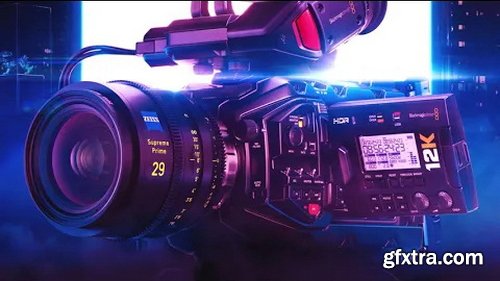
Autokroma – BRAW Studio v3.4.2 Win/Mac
https://www.autokroma.com/BRAW_Studio
The BRAW Studio plugin allows you to directly import Blackmagic RAW (.braw format) video footage into After Effects, Premiere Pro, and Media Encoder for editing, and also allows for parameter adjustments. Brand new Desktop Application, White Balance Picker, Premiere Pro Metadata Organizer Tool. Available in FREE and Premium Versions. A native Blackmagic RAW (.braw) importer for After Effects, Premiere Pro, and Media Encoder, with advanced Premiere Pro features in our BRAW Studio Panel as well as customizable RAW Settings with our Layer Settings After Effects filter.
Features: The missing piece in your workflow .BRAWPremiere Pro and Media Encoder: Import, edit, re-encode, and create proxies for your footage directly from your source using BRAW Studio! Our BRAW Studio panel will also help your daily workflow with excellent features such as: Source Settings Panel, Batch Changes, Trimming, Toolbox Tabs, and more. After Effects: Import .BRAW directly into the AEfx interface and use our BRAW Studio layer settings filters to modify/experience color grading in real time. Access the same RAW color parameters as in DaVinci Resolve using the official BMD Color Science and BMD BRAW SDK. A brand new desktop application: Open our new desktop player application from Finder/Explorer .BRAW for direct playback and color grading. Save your settings on the sidecar: it will automatically apply to any NLE (DVR, PPro, AEfx, AME). Find the same tools as our plugin: white balance color picker, custom A/B, presets, custom LUTs, etc. Use the trim tool to remove unused frames and maintain consistent BRAW codec quality. Easily access all your metadata .BRAW. Fully featured: The white balance color picker automatically keeps your footage neutral with just a few clicks! Custom A/B testing allows for quick comparison of different RAW parameter sets. 20 global presets allow you to store RAW parameters across projects and Premiere Pro/After Effects/Desktop Player. Customize LUTs using our new "Add LUT to Sidecar" feature. Note: BRAW Studio does not import .dng files. 3.4.2 Update Notes: macOS White Balance Color Selection Fix BRAW Studio Premiere Group Discussion: Fixed multiple batch "Update Sidecar" buttons for BRAW files that were not working correctly. Removed the "BRAW_Studio Desktop Return Error" error message for macOS. BRAW Studio Desktop: Removed attempts to crop .BRAW files. Player macOS: Fixed a crash report and infinite wait (beachball cursor) that appeared after exiting the application while playing video or continuing to refresh frames.



NeoSkola Bütün Kursları

Udemy Türkçe


Top Rated News
- TheBoudoirDivas All Tutorial
- 126,000 Royalty-Free 3D Models
- CreativeLive Tutorial Collections
- Fasttracktutorials Course
- Chaos Cosmos Library
- MRMockup - Mockup Bundle
- Finding North Photography
- Sean Archer
- John Gress Photography
- Motion Science
- AwTeaches
- Learn Squared
- PhotoWhoa
- Houdini-Course
- Photigy
- August Dering Photography
- StudioGuti
- Creatoom
- Creature Art Teacher
- Creator Foundry
- Patreon Collections
- Udemy - Turkce
- BigFilms
- Jerry Ghionis
- ACIDBITE
- BigMediumSmall
- Globe Plants
- Unleashed Education
- The School of Photography
- Visual Education
- LeartesStudios - Cosmos
- Fxphd
- All Veer Fancy Collection!
- All OJO Images
- All ZZVe Vectors
- CGTrader 1 CGTrader 2



















