

https://mononodes.com/film-elements/
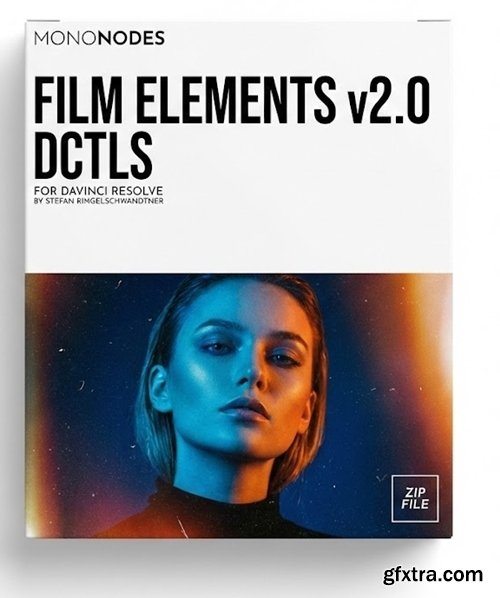
- Film Elements is a collection of DCTL tools designed to reproduce the subtle qualities of analog film within a digital workflow. Each module emulates a specific optical, photochemical, or physical characteristic such as grain, halation, vignette, lens distortion, flicker, gate weave, and surface artifacts like dust, dirt, and hair. A free demo is available below for direct evaluation.
FILM GRAIN – DCTL Developed with the goal of achieving the most organic and visually pleasing film grain possible in digital form. FILM DIRT – DCTLS VIGNETTE – DCTLS HALATION – DCTL This DCTL recreates halation with adjustable controls for size, intensity, hue, saturation, and threshold. A Halation Checker assists in isolating affected areas, while multiple transfer functions ensure accurate color management across different workflows. CHROMATIC ABERRATION – DCTL This DCTL simulates that dispersion effect with independent scaling and blur controls for each color channel. Optional features such as Edge Amount and Show Grid provide precise control and visualization. EDGE BLUR – DCTL Edge Blur allows precise control over blur radius, strength, and falloff, ensuring a gradual and seamless transition. LENS DISTORTION – DCTL You can adjust Radial Distortion to curve the image inward or outward, and Edge Distortion to control how strongly the outer areas are affected. The Scale Image slider compensates for edge gaps or extreme distortion by zooming the frame as needed. GATE WEAVE – DCTL You can adjust the amount, speed, and direction of the weave to create anything from a mild jitter to a stronger wobble. Image Scale prevents edge gaps by slightly zooming in, while the Yellow Background option reveals when the weave is too strong, helping determine appropriate scaling. FLICKER – DCTL This DCTL offers controls for amount, speed, and variation, enabling effects ranging from mild drift to strong flicker. A Grayscale Ramp option visualizes modulation, and multiple transfer functions ensure consistent color response across workflows. MTF – DCTL The process is edge-aware and luminance-based, enhancing detail naturally without halos or unwanted color shifts. Built-in guardrails maintain tonal balance and ensure a stable, controlled response. Usage suggestions: Fast Blur: REFRAME – DCTL This DCTL features sliders for scale, rotation, and offset, along with options for horizontal flipping and grid display. Aspect ratio guides such as 16:9, 4:3, and 2.39:1 assist with accurate composition and alignment across various delivery formats.
This DCTL reproduces the organic texture and tonal behavior of real film. Its non-repeating, multi-layered grain structure reacts naturally to exposure and color, blending seamlessly with the image instead of sitting on top. Balanced RGB correlation ensures cohesive color, while resolution-aware scaling keeps the texture consistent. Optimized for real-time performance, it delivers a refined, cinematic grain that enhances digital footage with authentic film character.
Both Dirt DCTLs offer a wide range of controls to shape the look and behavior of film dirt, dust, and fibers. You can adjust the frequency, size, and overall intensity of the effect, as well as fine-tune how it blends with the image. Included preview options such as Gray Background and Fill Screen make it easy to clearly see adjustments while working. Together, these tools provide a flexible and intuitive way to add authentic analog imperfections to digital footage.
Both Vignette DCTLs offer detailed control over image shaping and edge falloff. You can adjust parameters such as size, strength, and falloff to define light distribution, or refine the look with controls like Border Roundness, Anamorphic Stretch, and Offset. Preview options such as Gray Background help visualize the shape precisely during adjustments.
Halation is a film phenomenon where intense light penetrates the emulsion, scatters within the base, and causes a faint secondary exposure. This reflection primarily affects the red layer of color film, creating a subtle red-orange fringe around bright sources or high-contrast edges. The hue and intensity of this effect can shift with white balance or grading, closely echoing the behavior of real film stocks.
Chromatic aberration occurs when a lens fails to bring all wavelengths of light into focus at the same point. Each color bends at a slightly different angle as it passes through the glass, producing subtle red, green, or blue fringing along high-contrast edges or near the image periphery.
Edge Blur provides a natural and aesthetically pleasing way to soften the edges of a frame, avoiding the harshness of traditional masks. Built on a vignette-based mathematical approach, it smoothly blends the blur into the image while maintaining a cinematic and organic feel.
Lens Distortion simulates the optical warping caused by camera lenses, enabling both subtle corrections and dramatic visual effects. Unlike simple scaling or warping, this tool distorts the image based on real lens behavior, affecting the center and edges differently for a more natural result.
Gate Weave replicates the subtle frame movement seen in old film projectors, where film shifts slightly within the gate. The effect introduces natural horizontal and vertical motion with gentle randomness.
Flicker introduces frame-to-frame brightness variation, emulating subtle exposure shifts historically seen in film projection systems, transfer processes, and fluctuating lighting conditions.
This tool models how an imaging system transfers contrast across different levels of detail, shaping the perceived sharpness curve. It operates across multiple detail bands to provide precise control over texture, structure, and overall image depth while keeping color stable and edges clean.
For a natural, film-like look, slightly reduce Fine Detail and increase Coarse Detail to emphasize midtone contrast and depth.
Enable Fast Blur for faster playback while adjusting, and disable it for the highest-quality final renders.
Reframe provides precise control over image scale, rotation, and position while preserving composition. It includes blanking overlays for common aspect ratios, allowing quick previews of how the image fits different formats without altering the original frame.


126,000 Royalty-Free 3D Model

Udemy Türkçe


Top Rated News
- CreativeLive Tutorial Collections
- Fasttracktutorials Course
- Chaos Cosmos Library
- MRMockup - Mockup Bundle
- Finding North Photography
- Sean Archer
- John Gress Photography
- Motion Science
- AwTeaches
- Learn Squared
- PhotoWhoa
- Houdini-Course
- Photigy
- August Dering Photography
- StudioGuti
- Creatoom
- Creature Art Teacher
- Creator Foundry
- Patreon Collections
- Udemy - Turkce
- BigFilms
- Jerry Ghionis
- ACIDBITE
- BigMediumSmall
- Globe Plants
- Unleashed Education
- The School of Photography
- Visual Education
- LeartesStudios - Cosmos
- Fxphd
- All Veer Fancy Collection!
- All OJO Images
- All ZZVe Vectors
- CGTrader 1 CGTrader 2



















