

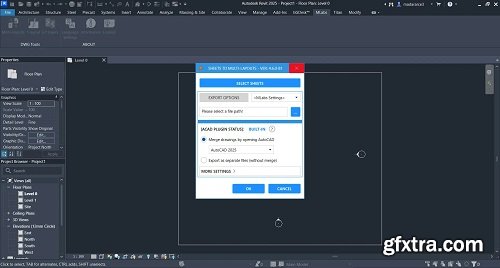
When sheets are exported from Autodesk® Revit® to DWG, each sheet is typically saved as a separate file. Combining these files into a single DWG with all drawings and sheets requires a time-consuming manual process of merging or importing layouts in CAD.
This plugin simplifies the workflow by providing two powerful export commands:
“To Multiple Layouts” Command:
Export and merge all sheets into a single DWG file, where each sheet is placed in its layout tab.
“To 1 Layout” Command:
Export multiple sheets into a single DWG file. All drawings are placed in the model tab, while all sheets are combined into a single layout tab.
Compatible with:
Autodesk Revit
Version: 2026 , 2025 , 2024 , 2023 , 2022 , 2021
Home Page - https://apps.autodesk.com/


126,000 Royalty-Free 3D Model

Udemy Türkçe


Top Rated News
- CreativeLive Tutorial Collections
- Fasttracktutorials Course
- Chaos Cosmos Library
- MRMockup - Mockup Bundle
- Finding North Photography
- Sean Archer
- John Gress Photography
- Motion Science
- AwTeaches
- Learn Squared
- PhotoWhoa
- Houdini-Course
- Photigy
- August Dering Photography
- StudioGuti
- Creatoom
- Creature Art Teacher
- Creator Foundry
- Patreon Collections
- Udemy - Turkce
- BigFilms
- Jerry Ghionis
- ACIDBITE
- BigMediumSmall
- Globe Plants
- Unleashed Education
- The School of Photography
- Visual Education
- LeartesStudios - Cosmos
- Fxphd
- All Veer Fancy Collection!
- All OJO Images
- All ZZVe Vectors
- CGTrader 1 CGTrader 2



















