

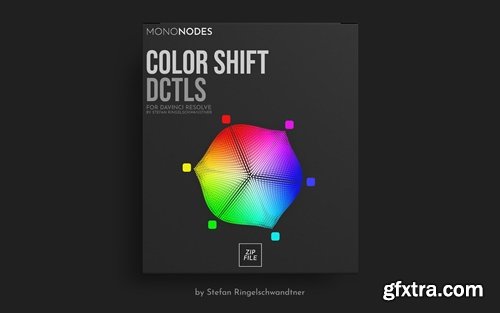
- I drew inspiration from FilmLight’s Baselight ‘Hue Shift’ tool, which offers the innovative capability to shift hues towards adjacent colors. Following this initial adjustment, you can enhance the image further by increasing saturation, adjusting brightness, or desaturating specific hues. It focuses exclusively on the six main colors and is therefore very reduced and clearly designed. Here is an interesting video about the “Hue Shift” tool in Baselight. Other inspirations were “Capture One” and “Photoshop”.
- I was inspired by FilmLight's Baselight Hue Shift tool, which offers innovative capabilities for converting hues to adjacent colors. After this initial adjustment, you can further enhance the image by increasing the saturation, adjusting the brightness, or decreasing the saturation of a particular hue. It focuses on only six main colors, so it's very streamlined and has a clear design. Here's an interesting video about the Hue Shift tool in Baselight. Other inspirations come from "Capture One" and "Photoshop".
- The DCTL is available in two different models: "Spherical" and "Tetra" versions. The "T" in the label refers to the Tetra model, in contrast, the spherical version uses a spherical color model, with a slightly different approach. Neither model is inherently superior; They just rely on different mathematical methods. The choice between Tetra and Spherical often comes down to personal preference, as each will produce unique results.
Hue Shift DCTL Our "Tone Shift" DCTL allows any of the six primary colors to be moved to adjacent colors. For example, blue can be biased toward cyan or magenta, and red can be biased toward yellow or magenta. In my opinion, the Tetra model is one of the cleanest ways to convert a single hue to an adjacent color. Keep in mind that the hue may darken or lighten depending on the shade chosen. The saturation and density/brightness of the moving hue can be adjusted later in combination with other DCTLs. DCTLE for DaVinci Resolve Studio. Compatible with DaVinci Resolve Studio. Windows、Mac、Linux。 Color Space: This tool works best in large color spaces. For example, it works well in DWG, LogC, and other extended color spaces. Contains: MONO-1-DEN-v4.0.dctle MONO-1-HUE-v4.0.dctle MONO-1-SAT-v4.0.dctle MONO-2-SAT-DEN-v4.0.dctle MONO-2-SAT-RANGE-v4.0.dctle MONO-3-SAT-DEN-HUE-v4.0.dctle MONO-3-SAT-RANGE-DEN-v4.0.dctle MONO-T1-DEN-v4.0.dctle MONO-T1-HUE-v4.0.dctle MONO-T1-SAT-v4.0.dctle MONO-T2-SAT-DEN-v4.0.dctle MONO-T3-SAT-DEN-HUE-v4.0.dctle ————–Single ————–.dctle MONO-DENSITY-T-v3.0.dctle MONO-DENSITY-v3.0.dctle MONO-HUE-T-v3.0.dctle MONO-HUE-v3.0.dctle MONO-SAT-T-v3.0.dctle MONO-SAT-v3.0.dctle ———— – Dual ———— – .dctle MONO-SAT-Density-T-v3.0.dctle MONO-SAT-Density-v3.0.dctle MONO-SAT-HUE-v3.0.dctle MONO-SAT-RANGE-v3.0.dctle ———— – Triple ———— – .dctle MONO-SAT-density-hue-T-v3.0.dctle MONO-SAT-density-hue-v3.0.dctle MONO-SAT-range-density-v3.0.dctle Filename:MONO-Color-Shift-v4.zip The filename :MONO-Color-Shift-v3.zip More information: https://mononodes.com/color-shift-dctl/ 



126,000 Royalty-Free 3D Model

Udemy Türkçe


Top Rated News
- CreativeLive Tutorial Collections
- Fasttracktutorials Course
- Chaos Cosmos Library
- MRMockup - Mockup Bundle
- Finding North Photography
- Sean Archer
- John Gress Photography
- Motion Science
- AwTeaches
- Learn Squared
- PhotoWhoa
- Houdini-Course
- Photigy
- August Dering Photography
- StudioGuti
- Creatoom
- Creature Art Teacher
- Creator Foundry
- Patreon Collections
- Udemy - Turkce
- BigFilms
- Jerry Ghionis
- ACIDBITE
- BigMediumSmall
- Globe Plants
- Unleashed Education
- The School of Photography
- Visual Education
- LeartesStudios - Cosmos
- Fxphd
- All Veer Fancy Collection!
- All OJO Images
- All ZZVe Vectors
- CGTrader 1 CGTrader 2



















