

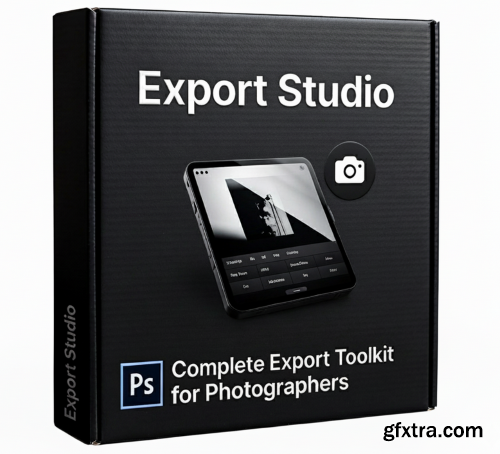
- In today’s fast-paced digital landscape, photographers need more than just great shots—they need a workflow that keeps up with the demands of social media and professional delivery. Export Studio is a comprehensive Photoshop plugin meticulously designed for portrait and commercial photographers who want to reclaim their time without sacrificing quality. By integrating essential post-processing tasks into a single, intuitive interface, this toolkit transforms the way you move from a finished edit to a final deliverable.
At the heart of Export Studio is the Smart Export engine. Forget the frustration of manual resizing; with dedicated presets for Instagram, Facebook, and high-quality Print, your images are always optimized for their destination. The "Fit Width" mode ensures your aspect ratios remain intact, while the automatic sRGB conversion guarantees that your colors stay vibrant and accurate across every screen. To ensure your work looks its sharpest, the plugin applies intelligent output sharpening during the resizing process, giving your photos that professional "pop" instantly. Showcasing your technical skill is effortless with the built-in Comparison and Collage tools. Before/After Comparisons: With one click, capture your initial state and generate professional side-by-side or stacked views. The plugin automatically detects orientation and allows for editable text labels on separate layers. Dynamic Collages: Create stunning 2, 3, or 4-image layouts. The smart masking system ensures each photo occupies the perfect portion of the frame, with unlinked masks that allow you to reposition your subject without breaking the layout. Security meets speed with a robust Watermark Protection system. Unlike standard watermarks, Export Studio utilizes a tiled system designed specifically to resist AI removal tools. You can adjust opacity in real-time, ensuring your brand is visible but not distracting. When it comes to high-volume work, the Batch Processing module is a game-changer. Simply select a folder, and the plugin will apply your presets and watermarks to every image automatically. With a live progress tracker, you can manage hundreds of files at once, allowing you to focus on the creative work that matters most while Export Studio handles the heavy lifting. Installation: The Ultimate Social Media & Print Solution
Professional Presentation Made Easy
Uncompromising Protection and Efficiency
OPTION 1 (Automatic):
Simply double-click the downloaded .ccx file. It should automatically launch Creative Cloud and install the plugin in Photoshop.
OPTION 2 (Manual):Rename the file extension from .ccx to .zip.
C:/Program Files/Adobe/Adobe Photoshop [Version]/Plug-ins/


126,000 Royalty-Free 3D Model

Udemy Türkçe


Top Rated News
- CreativeLive Tutorial Collections
- Fasttracktutorials Course
- Chaos Cosmos Library
- MRMockup - Mockup Bundle
- Finding North Photography
- Sean Archer
- John Gress Photography
- Motion Science
- AwTeaches
- Learn Squared
- PhotoWhoa
- Houdini-Course
- Photigy
- August Dering Photography
- StudioGuti
- Creatoom
- Creature Art Teacher
- Creator Foundry
- Patreon Collections
- Udemy - Turkce
- BigFilms
- Jerry Ghionis
- ACIDBITE
- BigMediumSmall
- Globe Plants
- Unleashed Education
- The School of Photography
- Visual Education
- LeartesStudios - Cosmos
- Fxphd
- All Veer Fancy Collection!
- All OJO Images
- All ZZVe Vectors
- CGTrader 1 CGTrader 2



















