

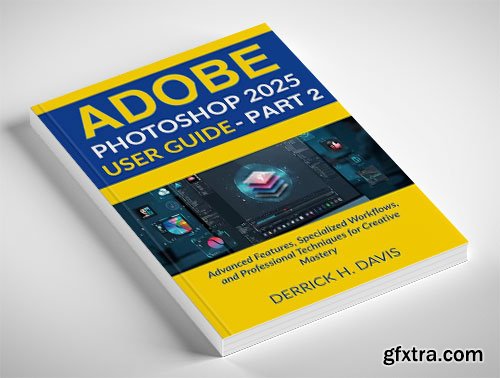
English | 2025 | ASIN: B0F5H27ZQ1 | 702 pages | PDF | 6.11 MB
Master Advanced Photoshop Skills for Professional-Level Results Building on the foundations established in Part 1, this comprehensive guide takes your Photoshop expertise to new heights with in-depth coverage of advanced techniques and specialized workflows. Perfect for intermediate users ready to elevate their skills or professionals seeking to expand their capabilities. In this essential second volume, you'll discover AI-Powered Tools – Harness the revolutionary potential of Generative Fill, Neural Filters, and intelligent selections Beginners – No experience? No problem! This book makes learning effortless. Whether you're a photographer refining advanced retouching skills, a designer creating complex visual assets, or a digital artist pushing creative boundaries, this guide provides the expert knowledge to maximize Photoshop 2025's powerful feature set. This unofficial guide provides comprehensive instruction for Adobe Photoshop 2025 and is not affiliated with Adobe Inc. Adobe and Photoshop are registered trademarks of Adobe Inc.
Advanced Compositing – Create seamless, professional-quality photo manipulations with advanced masking and blending methods
Video and Animation – Transform static images into dynamic content with timeline-based editing and export
3D and Immersive Content – Design three-dimensional assets, AR experiences, and interactive content
Professional Typography – Master advanced text handling, variable fonts, and typographic design principles
Specialized Workflows – Follow proven processes for photography enhancement, digital painting, UI design, and print production
Cross-Device Integration – Seamlessly work between desktop, tablet, and mobile with cloud-based workflows
Plugin Development – Extend Photoshop's capabilities with custom tools and scripts
Who Is This Book For?
Photographers – Take your photos from ordinary to extraordinary.
Social Media Creators – Create scroll-stopping visuals for Instagram, Facebook, and more.
Small Business Owners – Make professional-grade marketing materials and product images.
Hobbyists & Artists – Explore digital creativity in a fun and engaging way.
Each chapter provides practical, step-by-step guidance with professional insights that help you apply these techniques to real-world projects. Comprehensive appendices offer quick reference to keyboard shortcuts and file format specifications.


NeoSkola Bütün Kursları

Udemy Türkçe


Top Rated News
- TheBoudoirDivas All Tutorial
- 126,000 Royalty-Free 3D Models
- CreativeLive Tutorial Collections
- Fasttracktutorials Course
- Chaos Cosmos Library
- MRMockup - Mockup Bundle
- Finding North Photography
- Sean Archer
- John Gress Photography
- Motion Science
- AwTeaches
- Learn Squared
- PhotoWhoa
- Houdini-Course
- Photigy
- August Dering Photography
- StudioGuti
- Creatoom
- Creature Art Teacher
- Creator Foundry
- Patreon Collections
- Udemy - Turkce
- BigFilms
- Jerry Ghionis
- ACIDBITE
- BigMediumSmall
- Globe Plants
- Unleashed Education
- The School of Photography
- Visual Education
- LeartesStudios - Cosmos
- Fxphd
- All Veer Fancy Collection!
- All OJO Images
- All ZZVe Vectors
- CGTrader 1 CGTrader 2



















