

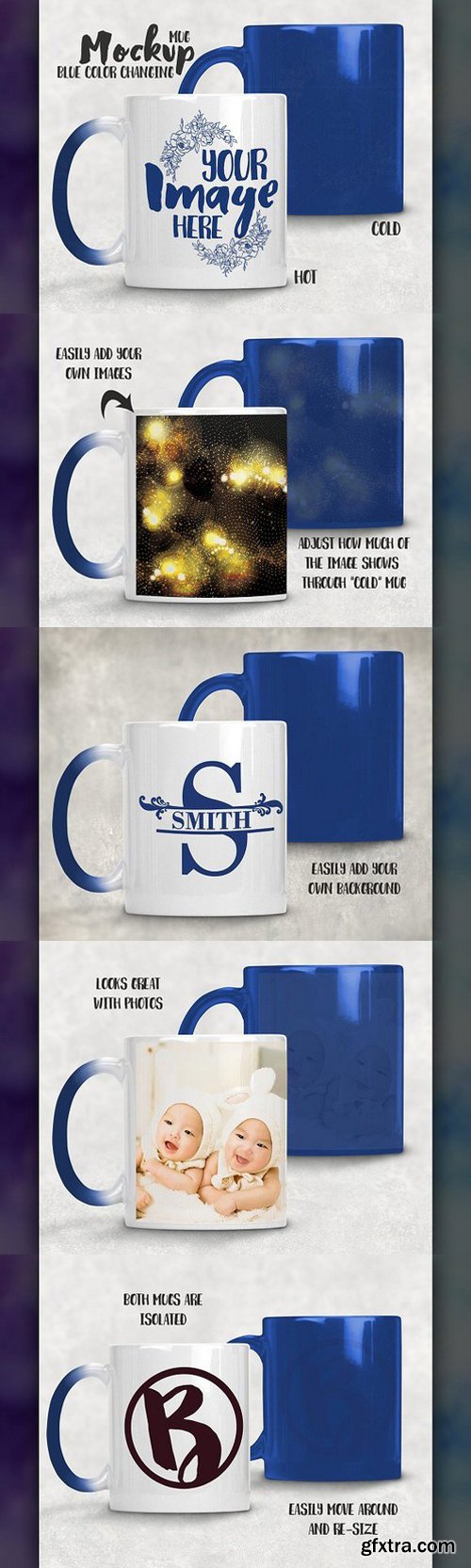
This listing is a mock-up that features a blue to white color changing coffee mug. Download includes a file that shows the mug cold (blue) and hot (white). You can adjust how much of the image shows through on the cold (blue) mug by adjust the layer’s opacity.
Give a professional touch to your sublimation color changing mug without the hassle of photographing each one. Our template is ready to use, simply add in your own art files and background.
Download includes:
- Photoshop .PSD file. This file is set up with Smart Objects. Simply double click the layer marked in Red to paste your image in and you are done!
- PS Elements file. Paste your image into the layer titled “place your image here”.
- PNG file with the blank mugs on a transparent background.



Information
Members of Guests cannot leave comments.
NeoSkola Bütün Kursları

Udemy Türkçe


Top Rated News
- TheBoudoirDivas All Tutorial
- 126,000 Royalty-Free 3D Models
- CreativeLive Tutorial Collections
- Fasttracktutorials Course
- Chaos Cosmos Library
- MRMockup - Mockup Bundle
- Finding North Photography
- Sean Archer
- John Gress Photography
- Motion Science
- AwTeaches
- Learn Squared
- PhotoWhoa
- Houdini-Course
- Photigy
- August Dering Photography
- StudioGuti
- Creatoom
- Creature Art Teacher
- Creator Foundry
- Patreon Collections
- Udemy - Turkce
- BigFilms
- Jerry Ghionis
- ACIDBITE
- BigMediumSmall
- Globe Plants
- Unleashed Education
- The School of Photography
- Visual Education
- LeartesStudios - Cosmos
- Fxphd
- All Veer Fancy Collection!
- All OJO Images
- All ZZVe Vectors
- CGTrader 1 CGTrader 2



















