

Udemy - iPhone Photo Editing: Lightroom Mobile, Snapseed & VSCO
Help you understand and use popular mobile photo editing apps: Lightroom Mobile, Snapseed, VSCO, and the iOS Photos App

 Comments: (0)
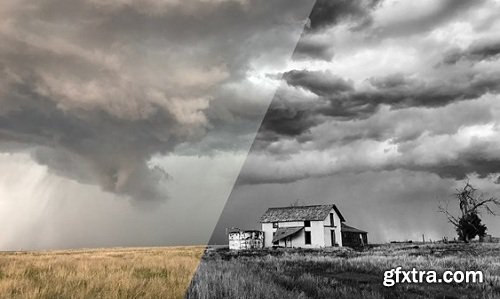
When everyone has a smartphone, anyone can be a photographer. The hard part is editing photos to make them into something truly special. Snapseed is a free app that makes it easy to take and edit professional photos with your iOS or Android device. In this course, pro photographer Justin Reznick shows how Snapseed is used as an integral part of the mobile photography workflow. The first section discusses the Snapseed interface. Next is general editing with some of the commonly used tools: Curves, White Balance, Crop, and more. Justin then moves onto the advanced Snapseed tools, such as tonal contrast and perspective and expert tools such as selections and layers. The course wraps up with some tips for editing different types of photos—landscape, architecture, portrait, and black and white—from start to finish in Snapseed.
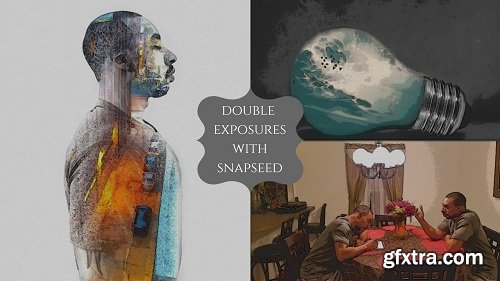
This course focuses on using the double exposure feature in the mobile app snapseed to create some pretty cool effects with your images
Part 1 of the course will show you how to use the double exposure feature to create a clone of yourself in images.
126,000 Royalty-Free 3D Model

Udemy Türkçe


Top Rated News
- CreativeLive Tutorial Collections
- Fasttracktutorials Course
- Chaos Cosmos Library
- MRMockup - Mockup Bundle
- Finding North Photography
- Sean Archer
- John Gress Photography
- Motion Science
- AwTeaches
- Learn Squared
- PhotoWhoa
- Houdini-Course
- Photigy
- August Dering Photography
- StudioGuti
- Creatoom
- Creature Art Teacher
- Creator Foundry
- Patreon Collections
- Udemy - Turkce
- BigFilms
- Jerry Ghionis
- ACIDBITE
- BigMediumSmall
- Globe Plants
- Unleashed Education
- The School of Photography
- Visual Education
- LeartesStudios - Cosmos
- Fxphd
- All Veer Fancy Collection!
- All OJO Images
- All ZZVe Vectors
- CGTrader 1 CGTrader 2



















