

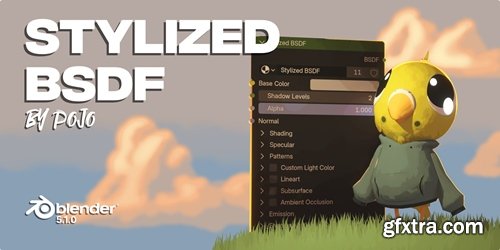
- Only for Blender 5.1 and up. Stylized NPR nodes for Blender. There's two files, Ultimate Toon Shader and Stylized BSDF. Stylized BSDF is the latest version going forward.
- Stylized BSDF is a complete NPR (Non-Photorealistic Rendering) shader for Blender 5.1 that gives you studio-quality stylized materials without complex node setups.
- Unlike standard toon shaders that only handle basic cel shading, Stylized BSDF provides a full suite of artist-friendly controls—including multi-layered patterns, stylized reflections, lineart, subsurface scattering, and independent shadow masking. Everything is packaged into a single, easy-to-use node group.
- Whether you're creating anime characters, illustrated environments, motion graphics, or concept art, Stylized BSDF adapts to your style.
- What makes it different? Every component is designed for stylized workflows, not physically accurate rendering. The metallic reflections are fake and artist-controlled. The emission uses Fresnel to glow brighter at center. Shadows are posterized, not soft. These are deliberate choices made for NPR artists, by an NPR artist.
Key Features:
Pattern System
Apply stylized textures to both diffuse shading and highlights independently. Choose from Crosshatch, Halftone, Dash, or Paint patterns. Adjust aspect ratio to match your screen space resolution, then scale and intensify each pattern separately.
Stylized Specular & Metallic
Fake, artist-friendly reflections that don't obey physical rules. Control Roughness (highlight sharpness), Reflection Smoothness (roundness of reflections), and Reflection Detail (scale of reflection patterns). The Metallic toggle enables stylized reflective surfaces without PBR complexity.
Lineart System
Generate stylized outlines directly within the shader. Control Thickness, Threshold, Opacity, and Color. The Multiply Self toggle samples the base shading and multiplies it over itself—creating lineart that dynamically adapts to the surface.
Subsurface Scattering
Add soft, colored light bleed beneath surfaces. Control Distance, Weight, Tint, and Tint Factor. Essential for skin, wax, leaves, or any material needing translucency.
Shadow Mask Input
Connect any mask (vertex color, texture, etc.) to selectively control where shadows appear. The Ignore Shading toggle bypasses scene lighting entirely and uses only the connected mask.
Full AOV Support
All major components output as separate AOVs for independent compositing control: Base Color, Patterns, Highlight Pattern, Specular, Metallic, Subsurface, Lineart, Shading, and Shadow Mask.


126,000 Royalty-Free 3D Model

Udemy Türkçe


Top Rated News
- CreativeLive Tutorial Collections
- Fasttracktutorials Course
- Chaos Cosmos Library
- MRMockup - Mockup Bundle
- Finding North Photography
- Sean Archer
- John Gress Photography
- Motion Science
- AwTeaches
- Learn Squared
- PhotoWhoa
- Houdini-Course
- Photigy
- August Dering Photography
- StudioGuti
- Creatoom
- Creature Art Teacher
- Creator Foundry
- Patreon Collections
- Udemy - Turkce
- BigFilms
- Jerry Ghionis
- ACIDBITE
- BigMediumSmall
- Globe Plants
- Unleashed Education
- The School of Photography
- Visual Education
- LeartesStudios - Cosmos
- Fxphd
- All Veer Fancy Collection!
- All OJO Images
- All ZZVe Vectors
- CGTrader 1 CGTrader 2



















