

Categories: 3D Models & Addons » Blender
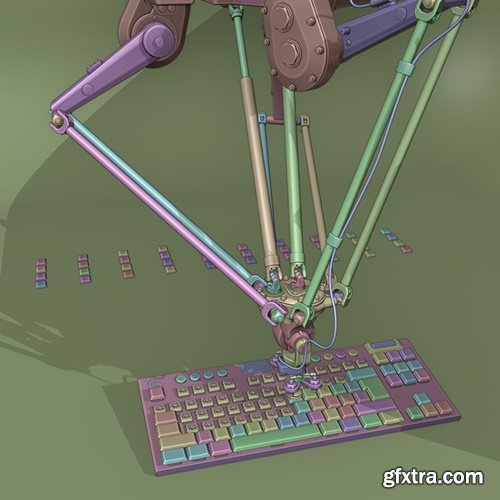
Gumroad - Keycap Installation
Keycap installation using Blender geometry nodes
- "Gumroad - Keycap Installation for Blender" is an essential resource for 3D artists, designers, and hobbyists looking to elevate their keyboard modeling workflows in Blender. This comprehensive guide walks users through the complete process of installing, customizing, and utilizing high-quality keycap assets within the Blender environment. Whether you're building a photorealistic mechanical keyboard for a product render, designing custom key layouts, or experimenting with stylized assets for creative projects, this tutorial offers a detailed, step-by-step approach. With easy-to-follow instructions, clean topology tips, and practical insights into material setup and scene organization, this package empowers users to bring precision and polish to their keycap projects. Perfect for beginners and seasoned Blender users alike, "Keycap Installation for Blender" combines technical clarity with creative flexibility to help unlock new levels of visual realism and design control.



Related Posts
Information
Members of Guests cannot leave comments.
126,000 Royalty-Free 3D Model

Udemy Türkçe


Top Rated News
- CreativeLive Tutorial Collections
- Fasttracktutorials Course
- Chaos Cosmos Library
- MRMockup - Mockup Bundle
- Finding North Photography
- Sean Archer
- John Gress Photography
- Motion Science
- AwTeaches
- Learn Squared
- PhotoWhoa
- Houdini-Course
- Photigy
- August Dering Photography
- StudioGuti
- Creatoom
- Creature Art Teacher
- Creator Foundry
- Patreon Collections
- Udemy - Turkce
- BigFilms
- Jerry Ghionis
- ACIDBITE
- BigMediumSmall
- Globe Plants
- Unleashed Education
- The School of Photography
- Visual Education
- LeartesStudios - Cosmos
- Fxphd
- All Veer Fancy Collection!
- All OJO Images
- All ZZVe Vectors
- CGTrader 1 CGTrader 2



















