

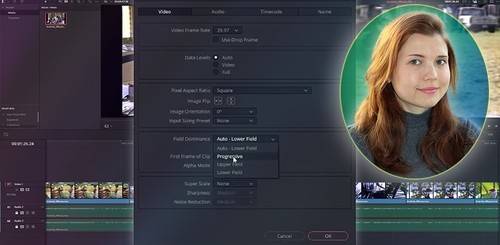
Mixing Light - Deinterlacing And Upscaling NTSC Archives To 4K Progressive Deliverables
https://mixinglight.com/deinterlacing-upscaling-ntsc-pal-archives-4k-progressive/
Part two of the NTSC restoration series covers the remaining Edit Page setup before grading a 1991 archival master for a 4K progressive deliverable. It works through manual audio sync, verifying that deinterlacing is active through Clip Attributes and field dominance, overriding a single timeline to 24 fps, choosing a retime process for the frame rate change, and upscaling standard definition to 4K with Topaz Video AI or Resolve’s Super Scale.
Instructor: Daria Fissoun CSI | Duration: 16m 8s | Level: Intermediate | Software: DaVinci Resolve | Series: Restoring Archives To 4K (Part 2 of 5) | Published: August 15, 2024
Key Takeaways

























Top Rated News
 thegreatcourses
- Udemy Part 3
- Pose and Reference Pack
- PSDMarket All Flyer
- TheBoudoirDivas All Tutorial
- 126,000 Royalty-Free 3D Models
- CreativeLive Tutorial Collections
- Fasttracktutorials Course
- Chaos Cosmos Library
- MRMockup - Mockup Bundle
- Finding North Photography
- Sean Archer
- John Gress Photography
- Motion Science
- AwTeaches
- Learn Squared
- PhotoWhoa
- Houdini-Course
- Photigy
- August Dering Photography
- StudioGuti
- Creatoom
- Creature Art Teacher
- Creator Foundry
- Patreon Collections
- Udemy - Turkce
- BigFilms
- Jerry Ghionis
- ACIDBITE
- BigMediumSmall
- Globe Plants
- Unleashed Education
- The School of Photography
- Visual Education
- LeartesStudios - Cosmos
- Fxphd
- All Veer Fancy Collection!
- All OJO Images
- All ZZVe Vectors
- CGTrader 1 CGTrader 2






























