

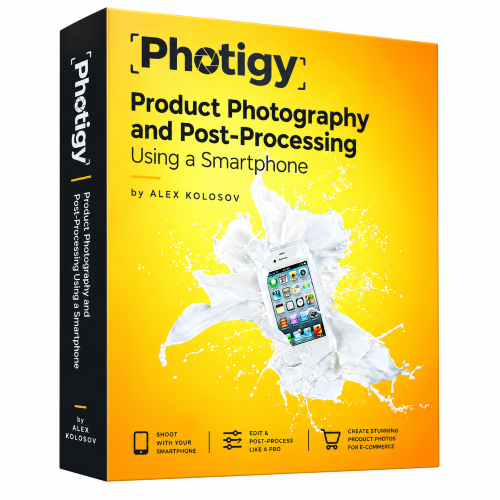
Photigy - Product Photography and Post-Processing Using a Smartphone
https://www.photigy.com/school/
- Discover the art of creating stunning product images with Photigy – Product Photography and Post-Processing Using a Smartphone, by professional photographer Alex Koloskov. Designed for aspiring photographers, online sellers, entrepreneurs, and creative enthusiasts, this learning resource explores how to transform everyday products into eye-catching visuals using the smartphone you already own.In today’s digital marketplace, high-quality product photography plays a vital role in attracting customers, building trust, and showcasing products effectively. Whether you sell accessories, cosmetics, electronics, handmade crafts, or other retail products, compelling images can help your products stand out from the competition.
By Alex Koloskov Explore the essential principles of product photography, including lighting, composition, backgrounds, angles, and creative presentation. Learn how to make the most of natural and available light, experiment with different setups, and discover practical ways to control reflections, highlights, and shadows for more polished results. From simple tabletop arrangements to more creative product compositions, the goal is to help you understand how thoughtful lighting and careful positioning can dramatically improve the appearance of your photographs. You do not necessarily need an expensive DSLR or mirrorless camera to begin creating attractive product images. With the right techniques, a smartphone can be a versatile tool for capturing detailed, engaging photographs. Explore approaches to framing, focus, exposure, perspective, and image consistency. Learn to pay attention to small details that make a difference, from keeping products sharp and well-positioned to choosing backgrounds that complement their shape, color, and texture. Capturing the photograph is only part of the process. Image editing can help refine colors, improve brightness and contrast, correct minor imperfections, and create a consistent visual style across your product collection. Discover how careful post-processing can give your images a cleaner, more professional appearance while preserving the authentic look of the products themselves. Whether you are building an online store, creating social media content, developing a product catalog, or exploring photography as a hobby, this subject offers practical inspiration for improving your visual presentation without a complicated equipment setup. Create better product images. Develop your creative skills. Make every photograph count. With Photigy – Product Photography and Post-Processing Using a Smartphone, explore a more accessible approach to product photography and learn how to turn everyday objects into visually compelling images using the technology already in your pocket. Photigy – Product Photography and Post-Processing Using a Smartphone
Learn the Art of Product Photography
Master Smartphone Photography Techniques
Enhance Your Images with Post-Processing
Ideal for Online Businesses and Creative Beginners

Photigy___Product_Photography_Using_a_Smartphone.part2.rar - 2.9 GB
























Top Rated News
 thegreatcourses
- Udemy Part 3
- Pose and Reference Pack
- PSDMarket All Flyer
- TheBoudoirDivas All Tutorial
- 126,000 Royalty-Free 3D Models
- CreativeLive Tutorial Collections
- Fasttracktutorials Course
- Chaos Cosmos Library
- MRMockup - Mockup Bundle
- Finding North Photography
- Sean Archer
- John Gress Photography
- Motion Science
- AwTeaches
- Learn Squared
- PhotoWhoa
- Houdini-Course
- Photigy
- August Dering Photography
- StudioGuti
- Creatoom
- Creature Art Teacher
- Creator Foundry
- Patreon Collections
- Udemy - Turkce
- BigFilms
- Jerry Ghionis
- ACIDBITE
- BigMediumSmall
- Globe Plants
- Unleashed Education
- The School of Photography
- Visual Education
- LeartesStudios - Cosmos
- Fxphd
- All Veer Fancy Collection!
- All OJO Images
- All ZZVe Vectors
- CGTrader 1 CGTrader 2






























