

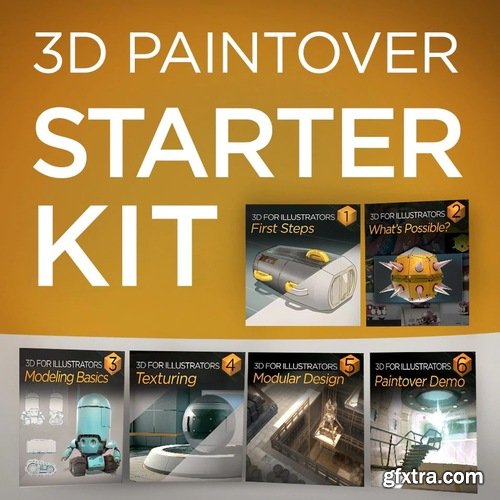
Ctrl+Paint - 3D Paintover Starter Kit
3D for Illustrators | Modeling | Paintover
English Audio | 6 Video Series | 374 Minutes | 2 RAR Parts
Course Details
- Provider: Ctrl+Paint
- Instructor: Matt Kohr, concept artist and creator of Ctrl+Paint
- Included Series: 3D For Illustrators 01: First Steps, 02: What's Possible, 03: Modeling Basics, 04: Texturing, 05: Modular Design, and 06: Paintover Demo (exclusive to this bundle)
- Topics: Moving a 3D camera, symmetry and repetition, model sheets, field of view, modeling basics, texturing, modular design for repeated forms, complex perspective and reflective surfaces, and painting over 3D renders with 2D polish
- Course Length: 374 minutes
- Software: SketchUp and Blender, with paintover in Adobe Photoshop; the concepts apply to any 3D package
- Recommended Background: 2D painters new to 3D, useful for beginners and advanced digital painters alike
- Audio: English
- Included: 2 RAR parts
- Provider Website: Ctrl+Paint Store
The 3D Paintover Starter Kit shows painters when 3D software is worth using, especially for complex perspective, reflective surfaces and repeated forms, and how to bring it into a 2D workflow. Taught from a 2D artist's point of view, the six series condense a decade of self-taught experience into high-level concepts instead of granular button-by-button tutorials, so the ideas carry over to any 3D package, including the free SketchUp and open-source Blender. You begin with first steps such as moving a 3D camera, symmetry, repetition and composing a model sheet, see what 3D makes possible, then cover modeling basics, texturing and modular design. The bundle-exclusive Paintover Demo ties it all together by turning a 3D scene into a polished painting. About This Course

























Top Rated News
 thegreatcourses
- Udemy Part 3
- Pose and Reference Pack
- PSDMarket All Flyer
- TheBoudoirDivas All Tutorial
- 126,000 Royalty-Free 3D Models
- CreativeLive Tutorial Collections
- Fasttracktutorials Course
- Chaos Cosmos Library
- MRMockup - Mockup Bundle
- Finding North Photography
- Sean Archer
- John Gress Photography
- Motion Science
- AwTeaches
- Learn Squared
- PhotoWhoa
- Houdini-Course
- Photigy
- August Dering Photography
- StudioGuti
- Creatoom
- Creature Art Teacher
- Creator Foundry
- Patreon Collections
- Udemy - Turkce
- BigFilms
- Jerry Ghionis
- ACIDBITE
- BigMediumSmall
- Globe Plants
- Unleashed Education
- The School of Photography
- Visual Education
- LeartesStudios - Cosmos
- Fxphd
- All Veer Fancy Collection!
- All OJO Images
- All ZZVe Vectors
- CGTrader 1 CGTrader 2






























