

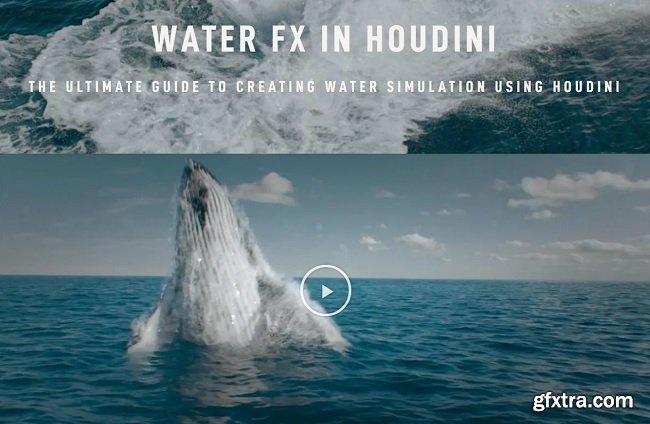
Rebelway – Water FX in Houdini
https://www.rebelway.net/water-fx-in-houdini/
THE ULTIMATE GUIDE TO CREATING WATER SIMULATION USING HOUDINI CRAFT WORLD-CLASS WATER FX USING HOUDINI Houdini has become the go-to tool in the FX industry. Whoever wields its power is unstoppable. Make a big “splash” with this dive deep into water FX in this extensive masterclass. Learn how to create a full range of water FX including oceans, crashing shore waves, and diving whales. Don’t forget your umbrella with this one.
Week 01 | • Overview of water simulation in Houdini 17 and the new workflow. • Creating a system to properly wedge simulation. • An overview of the rock splash project. • Requirements, challenges and geometry preparation. Week 02 | • Creating the rock splash simulation. • Fine tune the setting to create final highres simulation. • Meshing and creating a custom meshing workflow. • White water simulation setup and simulation. Week 03 | • Whale jump project overview. • Challenges and how to approach the solving the various problem. • Geometry and force preparation • Creating the initial flip fluid simulation. • Setting up wedges. Week 04 | • Refine the flip fluid solver setting to find the best optimal options • Creating highres simulation. • Meshing and blending the with ocean. • Creating the white water simulation. Week 05 | • Lighting and shading rock splash scene. • Lighting and shading the whale jump ocean scene. • Ocean rendering. • Integrating the flip fluid simulation with the ocean. • Compositing everything in Nuke. Week 06 | • An overview of the beach simulation. • Techniques for creating realistic wave motion. • Geometry preparation. • Creating the flip fluid simulation. Week 07 | • Tweaking the flip fluid solver to get the most optimal result. • Meshing the simulation. • White water simulation. • Ocean rendering. • Integrating the flip fluid simulation with the ocean. Week 08 | • Wet map creation. • An in-depth look at the requirement for water shading. • Shading and rendering realistic foam using the rock splash scene. • Creating custom aovs to allow further tweaks in comp. • Shading and rendering the beach using more advanced techniques. • Setting up all the passes needed for compositing. • Compositing everything in Nuke. 


126,000 Royalty-Free 3D Model

Udemy Türkçe


Top Rated News
- CreativeLive Tutorial Collections
- Fasttracktutorials Course
- Chaos Cosmos Library
- MRMockup - Mockup Bundle
- Finding North Photography
- Sean Archer
- John Gress Photography
- Motion Science
- AwTeaches
- Learn Squared
- PhotoWhoa
- Houdini-Course
- Photigy
- August Dering Photography
- StudioGuti
- Creatoom
- Creature Art Teacher
- Creator Foundry
- Patreon Collections
- Udemy - Turkce
- BigFilms
- Jerry Ghionis
- ACIDBITE
- BigMediumSmall
- Globe Plants
- Unleashed Education
- The School of Photography
- Visual Education
- LeartesStudios - Cosmos
- Fxphd
- All Veer Fancy Collection!
- All OJO Images
- All ZZVe Vectors
- CGTrader 1 CGTrader 2



















