


Better LearnDash styles. 100+ customizable options. Improve your LearnDash design today. Cleaner Styles, Out of the Box: LearnDash CSS that more closely matches your theme | 100+ Options in the Customizer | Course Grid Design | Course Navigation | Custom Progress Bars

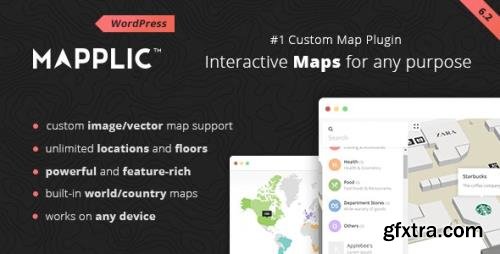
Mapplic is the #1 custom map WordPress plugin on the web. Turn simple images and vector graphics into high quality, responsive and fully interactive maps. Key Features: Unlimited landmarks: locations with unique pins and various actions; Unlimited floors: multiple floors are supported without any limitation; Deeplinking: every location can be referenced by its own URL; Responsive design: provides optimal experience across a wide range of devices; Touch optimized: touchscreen devices, like tablets and smartphones, are also supported; Admin interface: user friendly backend; Well documented: a detailed user guide is included
Generate and apply barcodes and QR codes to your products automatically. How you can benefit from it: You will generate and integrate barcodes on the products of your e-commerce automatically and quickly; Thanks to the barcode scan, you will improve the management of your e-commerce order statuses, stock, etc. Everything will be easier and faster; Get a printable list of all barcodes to create stickers for your physical products; Show the barcodes on the product pages; Allow your users to search by barcode to easily find what they are looking for; Integrate with Point Of Sale for quick checkout of physical products.
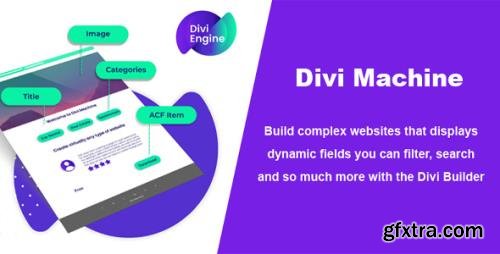
Create custom post types with Divi Page Builder. Create virtually any type of website you need with custom posts. If you need a car rental, real estate, team members, testimonials, or any content that needs to be dynamically created - this is what you need. Get away from creating a page for each testimonial, for example, create a testimonial custom post (using our settings), define the templates you want it to look at and for each testimonial, it will automatically fill in the data so you do not need to create a page each time.

WP Fusion connects your website to your CRM, with support for several CRMs and dozens of plugins. The no-code solution to easily integrate your WordPress website with the services you use every day. Add-Ons: WP Fusion - Abandoned Cart Addon v1.6.7 | WP Fusion - Downloads Addon v1.2.2 | WP Fusion - Enhanced Ecommerce Addon v1.17.8 | WP Fusion - Logins Addon v1.2.4 | WP Fusion - Media Tools Addon v1.2.1 | WP Fusion - Webhooks Addon v1.3.1
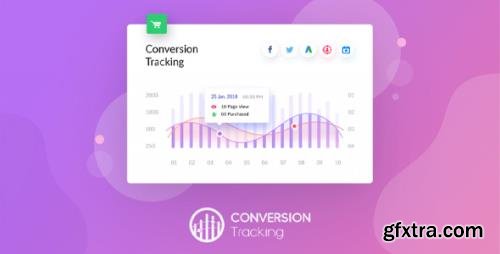
Boost Your WooCommerce Conversion Data Tracking. Connect your WooCommerce site with the best in the game Ad Platforms out there. Send user-triggered events from your eCommerce store instantly to your chosen ads platform. Retargeting is now as simple as ABC!

WP Import Export Plugin is an easy, quick and advanced Import & Export site data. WP Import Export gives you ability to export you site data into Multiple file format and you can import those file in any of your site. All type of your Posts, Pages, Custom Post Types, Taxonomies, Comments and Users import/export in just one click. A great way to manage WordPress Site data between multiple sites.

LearnDash Dashboard gives the admin, instructors, and students a dashboard of their own, where they can easily manage anything related to their courses, lessons, and contact others. Website admin can adjust each block as per their requirements. If you want to disable some sections, the plugin setting offers you do it easily. The plugin has inbuilt support for WooCommerce and Learndash WooCommerce add-on.
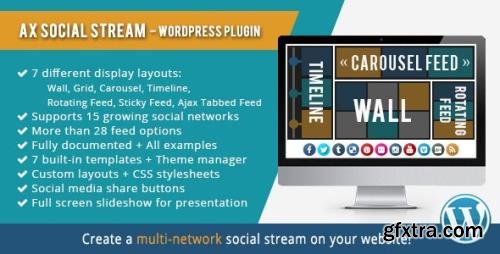
AX Social Stream is the best WordPress plugin for those who are looking for an easy way to combine all of their social networking activities into one single social stream and display on their website. With this plugin you can create a stylish fascinating social media feed including multiple social media pages/groups/accounts with multiple feed options, and can display them in 8 different layouts including Wall, Grid, Carousel, Timeline, Rotating Feed, Sticky Rotating Feed, Ajax Tabbed Feed & Sticky Ajax Tabbed Feed. You can add as many as public Facebook pages, Twitter accounts or Instagram accounts managed by you or any other publisher. It supports 14 and growing social networks and includes about 29 feed options. Your visitors will be able to share your posts on their social accounts or reply, retweet or favorite the Twitter posts from your Social Stream. They can even filter your Social Stream by social networks or using a search phrase. You can also change the style of your Social Stream using the theme manager and/or custom CSS stylesheets, and make it unique to your website.

Override any WordPress Section. Adds more power to Elementor Page Builder. Single Post/CPT Layouts; Taxonomy; Archives; Post Type; Archives; Author; Archives; Search; Results; Date; Archives; 404 Page; Have an Idea? Share With Us ... Full Support for WooCommerce. Have complete control over Single Product, Category Archives and Shop Layout: Single Product; Layout; Product Category; Layout; Shop Page; Layout ... Dynamic Widgets. Lots of widgets to precisely place and design all individual components in your layout: Post/Archive Title; Post Content; Post Info; Post Image; Post Blocks; Custom Taxonomy; Post Author; Post Comments; Read More Button; Post Navigation; Search Form; Custom Fields ... Post Blocks. Most versatile and flexible post widget to design your archive layouts: Most Versatile and Flexible Post widget to design your archive layout; SKIN BUILDER - Ability to design your own skin without writing any code; Multiple Layout Modes: Show posts in Grid, List, Carousel, Slider & Smart Grids; Supports custom post types and custom fields; Powerful Query Control

Implement the Facebook Pixel, Facebook Conversion API, Google Analytics, and the Google Ads Tag. Track key actions with automatic events, or create your own events. WooCommerce and EDD fully supported, with Facebook Dynamic Ads Pixel set-up, Google Analytics Enhanced Ecommerce, and Dynamic Remarketing.
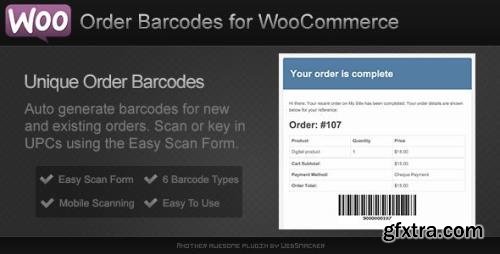
Now you can add a Barcode or QR Code to new and existing orders within WooCommerce. The barcode or QR Code is added below the order details for both the web and email forms. Using the built in easy scan form, store owners can quickly complete orders or check customers in. This makes this plugin a robust (yet simple) e-ticket solution for any type of event, booking or reservation.

Build Better Landing Pages in Minutes. Not Hours! Create pixel perfect coming soon, under construction, sales or landing pages with zero effort & maximum results. Page Templates - numerous bundled with the plugin. New ones come out every week. Templates cover everything! From sales and landing pages, to coming soon and maintenance pages. Ready to deploy in seconds, fully customizable via drag&drop builder.

Sell Memberships with Groups and WooCommerce. Groups WooCommerce grants memberships based on products. It automatically assigns a customer to one or more groups based on the products ordered. This extension allows you to sell Unlimited Memberships and Time-limited Memberships, allowing your customers to access restricted resources during the duration of their group membership.

JetEngine’s streamlined user interface allows building complex dynamic structures with little to no coding skills. Use all dynamic widgets to make your content engaging and interactive. Dynamic field: Pull the metadata or dynamic content from the specified source and style up its look and feel; Dynamic image: Display featured images for the created CPTs or taxonomies and enhance them visually; Dynamic repeater: Set dynamic repeaters for taxonomies and CPTs to keep the same structure for all listing items; Dynamic link: Add links to any post or taxonomy template and display them on the front-end effortlessly; Dynamic terms: Use this Elementor widget to showcase dynamic taxonomies added to any posts or pages; Dynamic meta: Add metadata about the author, publication date, and comments to the custom templates.

Mix & Match All Elements Freely. Develop a best-selling WooCommerce store from the ground up. Cherry-pick the widgets, do the fitting, arrange the elements and you’ll achieve a unique Elementor WooCommerce shop page layout. Revolutionary E-Commerce Widgets for Shop-Specific Pages. A brand-new approach to editing Elementor WooCommerce pages. Implement the vital elements, adjust the page sections, and add as much backend functionality as wanted. Page-specific widgets: All JetWooBuilder widgets are broken down into groups for you to use the right ones when building dedicated shop pages; Editable WooCommerce pages: Feel free to modify the default sales pages so they “look and feel” as pondered and help you generate profit; Manageable Reviews: Approve or Unapprove any user-generated review, edit its text and title, or choose to permanently delete; Custom behavior conditions: Urge C2C on-page interactions – let users leave reviews, as well as comment and like/dislike them; Allowed Roles: Assign the Allowed Roles to let certain user groups comment and rate the WooCommerce products ... Discover 60+ Elementor WooCommerce Widgets. Categories Grid: Display product categories as a grid or fully-fledged carousel whenever needed and keep everything extra easy; Products Grid: Create eye-candy product grid layouts, representing the WooCommerce products in the best design; Products List: Showcase the WooCommerce products in stylish list layouts, responsive and customizable to the boot; Taxonomy Tiles: Represent the WooCommerce product categories and tags in the form of tiles using style and content customization settings. ...
Manage products and orders of your shop directly from a frontend dashboard, avoiding the standard WordPress and WooCommerce panel. How you can benefit from it: Your partners will be able to manage the shop without having access to the admin area; Your partners will be able to manage the shop without viewing WordPress and WooCommerce backend; You can limit and monitor the changes made by your partners and keep your shop safe from their possible mistakes.

Simplify purchase process of digital goods by requesting users to fill in their data after the payment and before downloading the purchased product. How you can benefit from it: You will avoid your user to insert data that may slow down and make the checkout process complicated causing cart abandonment; By making the checkout process easier and faster, you will enhance the purchase of digital goods getting customers' data when downloading the product.
Set a minimum or maximum purchase quantity for the products of your e-commerce. How you can benefit from it: You will be able to create a wholesale business making sure your customers can purchase only specific product quantities; You will be able to effectively analyze the correlation between production, shipping costs and the income to define the minimum quantity that allows you to amortize expenses and get a profit.
Easily import Customers, Orders, and Coupons via a CSV file. Mass import hundreds, even thousands of customers, coupons, and orders into your WooCommerce store with the Customer / Coupon / Order CSV Import Suite. This user-friendly importer will import customers with a minimum of hassle, and can import orders and link them to your shop’s customers and products. This is an ideal tool when migrating an existing shop on a different eCommerce platform to WooCommerce, allowing you to maintain your customer accounts and order history. Have coupons to migrate from your old eCommerce platform, or campaigns requiring the creation of hundreds of coupons or more? The importer will import those, too!
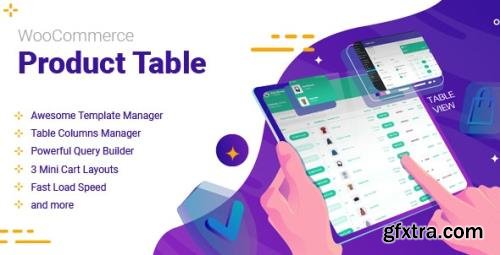
WooCommerce Product Table plugin is a useful extension for ecommerce and online store websites designed by Wordpress. This plugin can make a huge change on the appearance of online shopping website. By Woocommerce product table plugin, managing every feature of products for store manager is as easy as drinking a cup of coffee. There is no need to spend a lot of time to list your products or change the variables in every single page. There is a lot of amazing options to customize and control how products could be displayed for the customers. It is now possible to manage the way of payment and to make it easier for customers to buy different kind of products and pay for them just by some simple clicks. This WooCommerce plugin is definitely the specific extension that you need to increase your sales in any ecommerce website by making a good experience for customers to buy anything from your site.
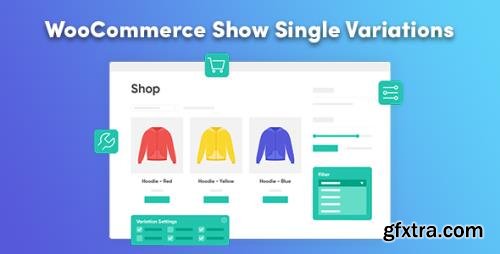
·Display product variations on the shop page as though they are separate products. Improved customer experience and enhanced product browsing. Improve the browsing experience of variable products: Display product variations on the shop page, and in the filtered and search results. Display variations when using WooCommerce shortcodes. Mark specific product variations as "Featured". | Configure variations individually: Configure each variation individually to ensure you're presenting your product collection in the best way. Create "dummy variations" which only appear in the shop pages - perfect for displaying one of each color. | Accurate filtered and search results: Filtering products will show relevant variations and imagery, rather than a generic "catch-all" parent product. Searches will return much more accurate results leading to more sales. | Add variations to the cart from the shop pages: Save your customers from numerous clicks by enabling them to add a specific variation to the cart, directly on the shop pages. Ability to enable the "add to cart" button per individual variation. Improved customer experience by making it easier for them to get what they want, quickly. | Customise your variation titles: Enter custom names for your variations for when they're viewed in the shop pages. Increase chances of a sale by getting a descriptive product title in front of them more quickly than before.

Important: This plugin is an add-on that requires the Bookly PRO installed and activated. View Bookly PRO page at Codecanyon. Should your appointments be for groups of people, the client can specify the amount of persons they’d like to book for. The group booking will be displayed in admin area as one appointment. Each of your services can have a separate capacity value, which means the minimum and the maximum number of customers allowed to book the same service for the certain time period. Each staff member can also have individual capacity settings different from the default values set in Services.

Kadence Blocks provides tools to empower WordPress users to create unique and meaningful content easier in the native WordPress editor. Our Row/Layout block can create custom layouts in your pages with easy column control that you are sure to love. With our editing toolkit, the WordPress editor becomes a powerful page builder with all the controls and functionality you could wish for.
126,000 Royalty-Free 3D Model

Udemy Türkçe


Top Rated News
- CreativeLive Tutorial Collections
- Fasttracktutorials Course
- Chaos Cosmos Library
- MRMockup - Mockup Bundle
- Finding North Photography
- Sean Archer
- John Gress Photography
- Motion Science
- AwTeaches
- Learn Squared
- PhotoWhoa
- Houdini-Course
- Photigy
- August Dering Photography
- StudioGuti
- Creatoom
- Creature Art Teacher
- Creator Foundry
- Patreon Collections
- Udemy - Turkce
- BigFilms
- Jerry Ghionis
- ACIDBITE
- BigMediumSmall
- Globe Plants
- Unleashed Education
- The School of Photography
- Visual Education
- LeartesStudios - Cosmos
- Fxphd
- All Veer Fancy Collection!
- All OJO Images
- All ZZVe Vectors
- CGTrader 1 CGTrader 2



















