

Language: English | Duration: 1h 44m | Size: 754 MB
https://www.udemy.com/course/mastering-capcut-complete-video-editing-guide-for-beginners/
Learn Professional Video Editing on Mobile & Desktop with Ease
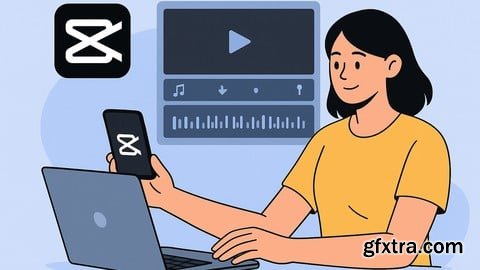
What you'll learn How to navigate and use the CapCut interface on both mobile and desktop Cutting, trimming, and arranging video clips step by step Adding text, titles, captions, and animated elements to your videos Using music, sound effects, and voiceovers to enhance content Applying filters, transitions, and effects to make videos stand out Working with layers, overlays, stickers, and templates Editing videos for TikTok, YouTube, Instagram, and other platforms Exporting and saving videos in high quality for different devices Tips and tricks for creating engaging and professional-looking videos Requirements No prior video editing experience needed – beginners are welcome Description Are you looking for a simple and powerful way to edit your videos without needing expensive software or complicated tools? This course is designed to help you learn CapCut, one of the most popular and beginner-friendly video editing applications available today. Whether you want to create content for TikTok, YouTube, Instagram, or just for fun, CapCut gives you everything you need to make professional-looking videos right from your phone or computer.In this course, we will go step by step, starting from the basics so that even if you have never edited a video before, you will feel comfortable. You will learn how to trim, cut, and arrange clips, add text, transitions, and music, and use filters and effects to make your videos more creative and engaging. We will also cover how to add captions, work with layers, use templates, and export your videos in the best quality.CapCut is trusted by millions of content creators because it is simple yet powerful. By learning it properly, you can save time, improve your editing speed, and make videos that stand out. This course is not about confusing theory—it is about practical lessons that you can follow along with and apply immediately.By the end of this course, you will have the confidence to edit and publish videos on social media platforms and even start using your skills professionally. All you need is your phone or computer, and you are ready to begin your journey in video editing with CapCut. Who this course is for Beginners who want to start video editing without complicated software Content creators on TikTok, YouTube, Instagram, and Facebook Students or professionals who want to improve their editing skills Social media marketers who need quick and effective video content Anyone interested in creating videos for fun, personal projects, or business Freelancers who want to add video editing as a new skill to their services 


126,000 Royalty-Free 3D Model

Udemy Türkçe


Top Rated News
- CreativeLive Tutorial Collections
- Fasttracktutorials Course
- Chaos Cosmos Library
- MRMockup - Mockup Bundle
- Finding North Photography
- Sean Archer
- John Gress Photography
- Motion Science
- AwTeaches
- Learn Squared
- PhotoWhoa
- Houdini-Course
- Photigy
- August Dering Photography
- StudioGuti
- Creatoom
- Creature Art Teacher
- Creator Foundry
- Patreon Collections
- Udemy - Turkce
- BigFilms
- Jerry Ghionis
- ACIDBITE
- BigMediumSmall
- Globe Plants
- Unleashed Education
- The School of Photography
- Visual Education
- LeartesStudios - Cosmos
- Fxphd
- All Veer Fancy Collection!
- All OJO Images
- All ZZVe Vectors
- CGTrader 1 CGTrader 2



















