

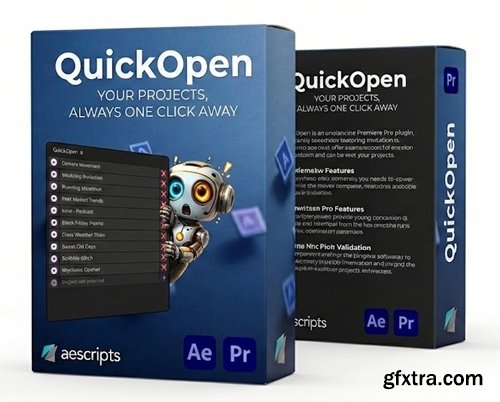
After Effects | Premiere Pro
Quickly open, manage and save your projects with customizable workflows.
QuickOpen: Why QuickOpen? Instant Access ✓ Up to 30 project slots Smart Saving ✓ Assign save folders per project Fully Customizable Make it yours with flexible layouts and settings. ✓ Horizontal / vertical layouts Global Support ✓ Windows & macOS How It Works Before QuickOpen 2–3 minutes per project With QuickOpen 5 seconds
Open any project with a single click. No more folder hunting.
✓ One-click opening
✓ Drag & drop support
✓ Custom display names
Save to assigned folders instantly with automatic versioning.
✓ One-click save
✓ Auto naming & versioning
✓ Use comp / sequence names
✓ UI scaling (50–250%)
✓ Rename projects
✓ Drag to reorder
Works worldwide on all platforms.
✓ After Effects & Premiere
✓ 7 languages
✓ Network ready
File → Open Recent (hope it’s there)
OR: Navigate through folders
Find project file
Open
Work
File → Save As
Navigate to save location
Type filename manually
Check existing versions
Save
Click project name
Work
Click save button


NeoSkola Bütün Kursları

Udemy Türkçe


Top Rated News
- TheBoudoirDivas All Tutorial
- 126,000 Royalty-Free 3D Models
- CreativeLive Tutorial Collections
- Fasttracktutorials Course
- Chaos Cosmos Library
- MRMockup - Mockup Bundle
- Finding North Photography
- Sean Archer
- John Gress Photography
- Motion Science
- AwTeaches
- Learn Squared
- PhotoWhoa
- Houdini-Course
- Photigy
- August Dering Photography
- StudioGuti
- Creatoom
- Creature Art Teacher
- Creator Foundry
- Patreon Collections
- Udemy - Turkce
- BigFilms
- Jerry Ghionis
- ACIDBITE
- BigMediumSmall
- Globe Plants
- Unleashed Education
- The School of Photography
- Visual Education
- LeartesStudios - Cosmos
- Fxphd
- All Veer Fancy Collection!
- All OJO Images
- All ZZVe Vectors
- CGTrader 1 CGTrader 2



















