

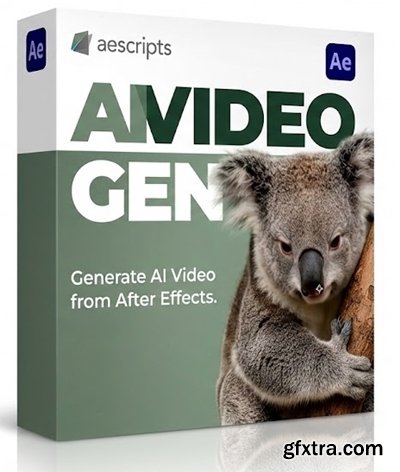
https://aescripts.com/aivideogen/
- aiVideoGen connects After Effects directly to Replicate’s top video models (Kling 2.1 / Master, Bytedance Seedance 1 Pro, Google Veo-3 Fast, MiniMax hailuo-02, PixVerse v5).
aiVideoGen aiVideoGen connects After Effects directly to Replicate’s top video models: Type a prompt, optionally use the current comp frame as an image reference, and the result is downloaded, imported, and placed directly on your timeline. Features Requirements User Tip
Kling 2.1 / Master, Bytedance Seedance 1 Pro, Google Veo-3 Fast, Google Veo 3.1 Fast, Minimax Hailuo-02, Minimax Hailuo 2.3 Fast, PixVerse v5, WAN 2.2 Fast.
Adobe After Effects (macOS or Windows) version 25 or later.
Internet connection and a Replicate API key (visit Replicate.com to set up your key and purchase tokens).
The panel has a large height and may be clipped on smaller-resolution monitors. To resolve this, expand the hamburger menu in the UI panel, go to Panel Group Settings, and enable Stacked Panel Group. Then stretch the panel vertically to full height to activate the scrollbar.


126,000 Royalty-Free 3D Model

Udemy Türkçe


Top Rated News
- CreativeLive Tutorial Collections
- Fasttracktutorials Course
- Chaos Cosmos Library
- MRMockup - Mockup Bundle
- Finding North Photography
- Sean Archer
- John Gress Photography
- Motion Science
- AwTeaches
- Learn Squared
- PhotoWhoa
- Houdini-Course
- Photigy
- August Dering Photography
- StudioGuti
- Creatoom
- Creature Art Teacher
- Creator Foundry
- Patreon Collections
- Udemy - Turkce
- BigFilms
- Jerry Ghionis
- ACIDBITE
- BigMediumSmall
- Globe Plants
- Unleashed Education
- The School of Photography
- Visual Education
- LeartesStudios - Cosmos
- Fxphd
- All Veer Fancy Collection!
- All OJO Images
- All ZZVe Vectors
- CGTrader 1 CGTrader 2



















